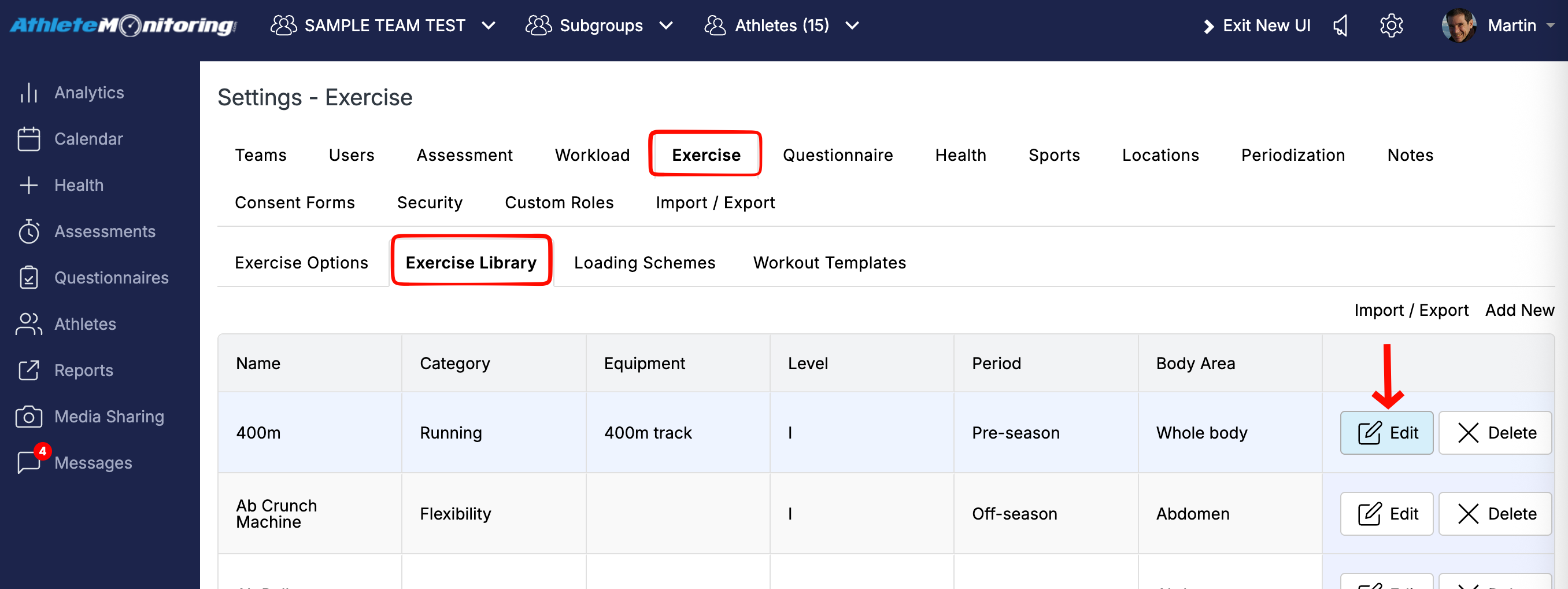
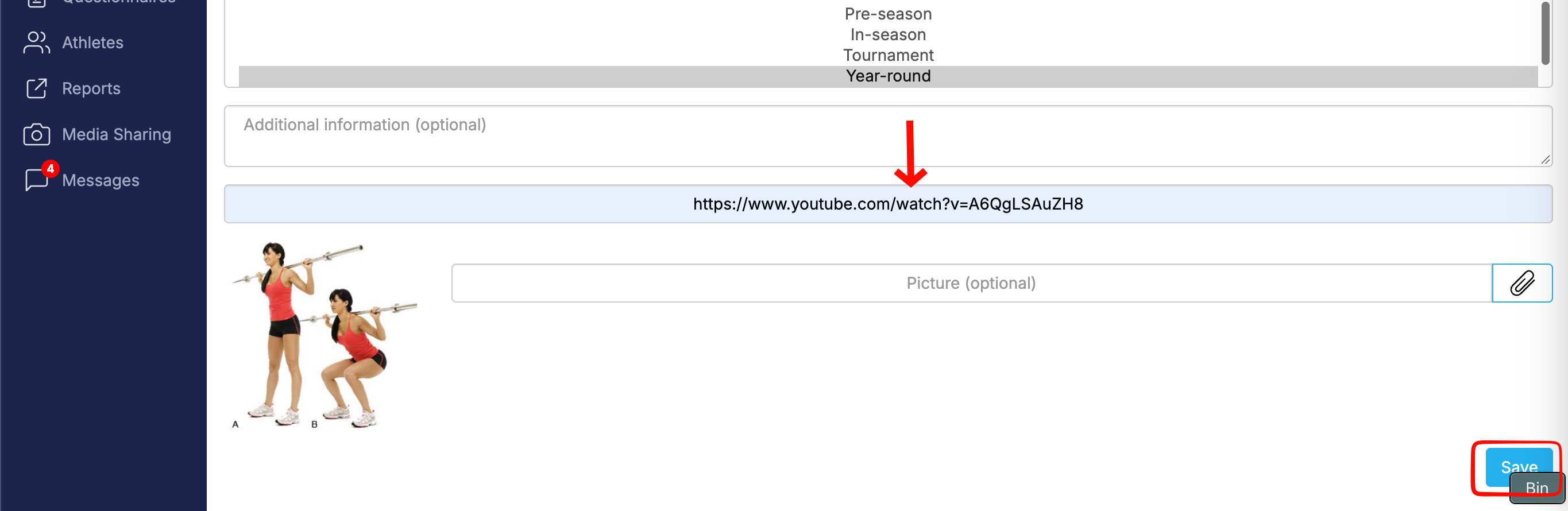
You can attach one video link to each exercise and add an exercise description. Go to Settings > Exercise Settings > Exercise Library, then add or open an exercise and scroll to the “Video Link” section.
Athletes can view the exercise description and watch the video in their app by clicking the “?” icon.
Example below.
Was this article helpful?
That’s Great!
Thank you for your feedback
Sorry! We couldn't be helpful
Thank you for your feedback
Feedback sent
We appreciate your effort and will try to fix the article