Once exercises, loading schemes and preset workouts have been created, you can easily use them to build complete programs in seconds.
To create a program, first open the calendar and click on an empty cell.
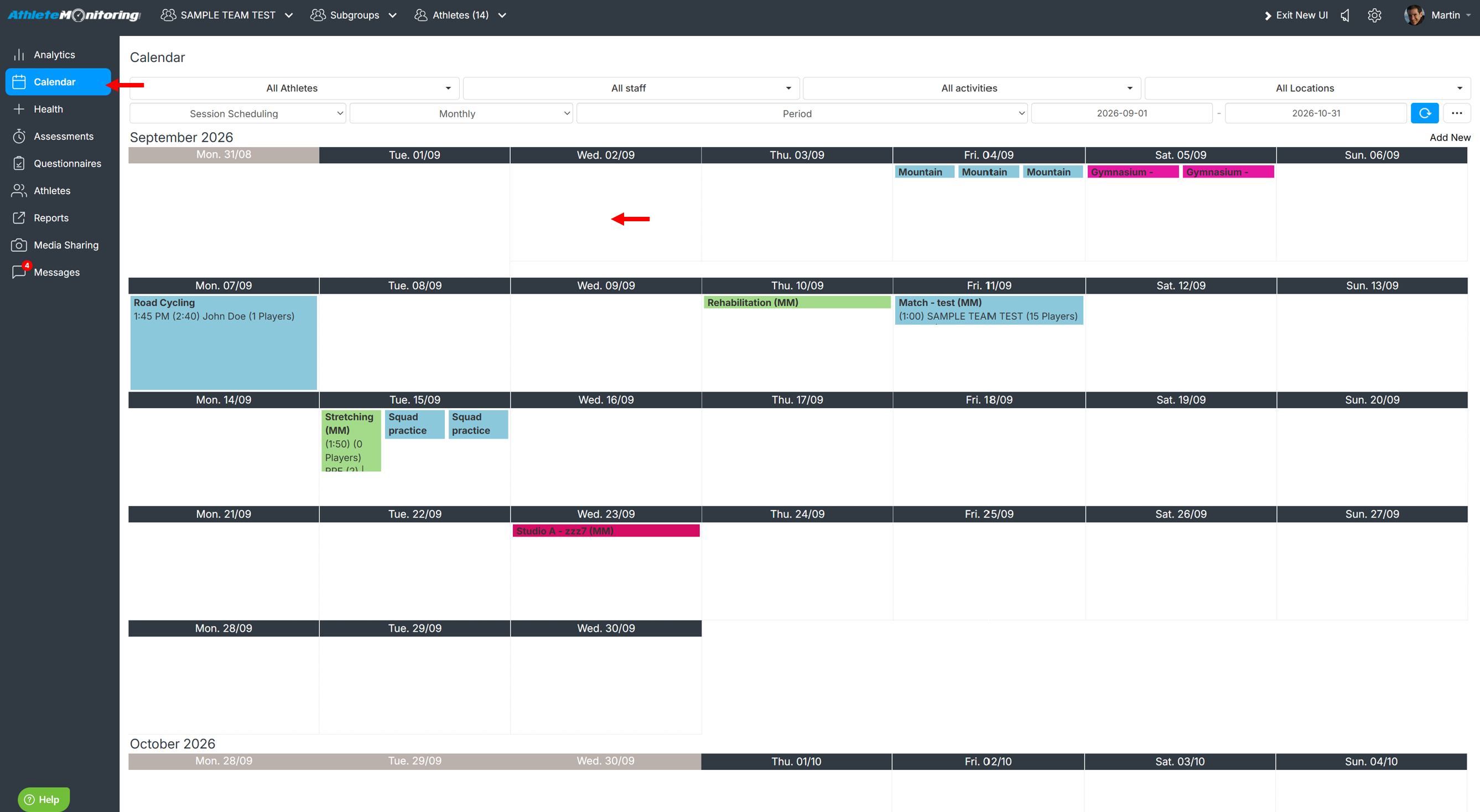
Adding a single exercise
From the Exercise finder tab, click on the exercise name on or drag and drop the exercise onto the program.
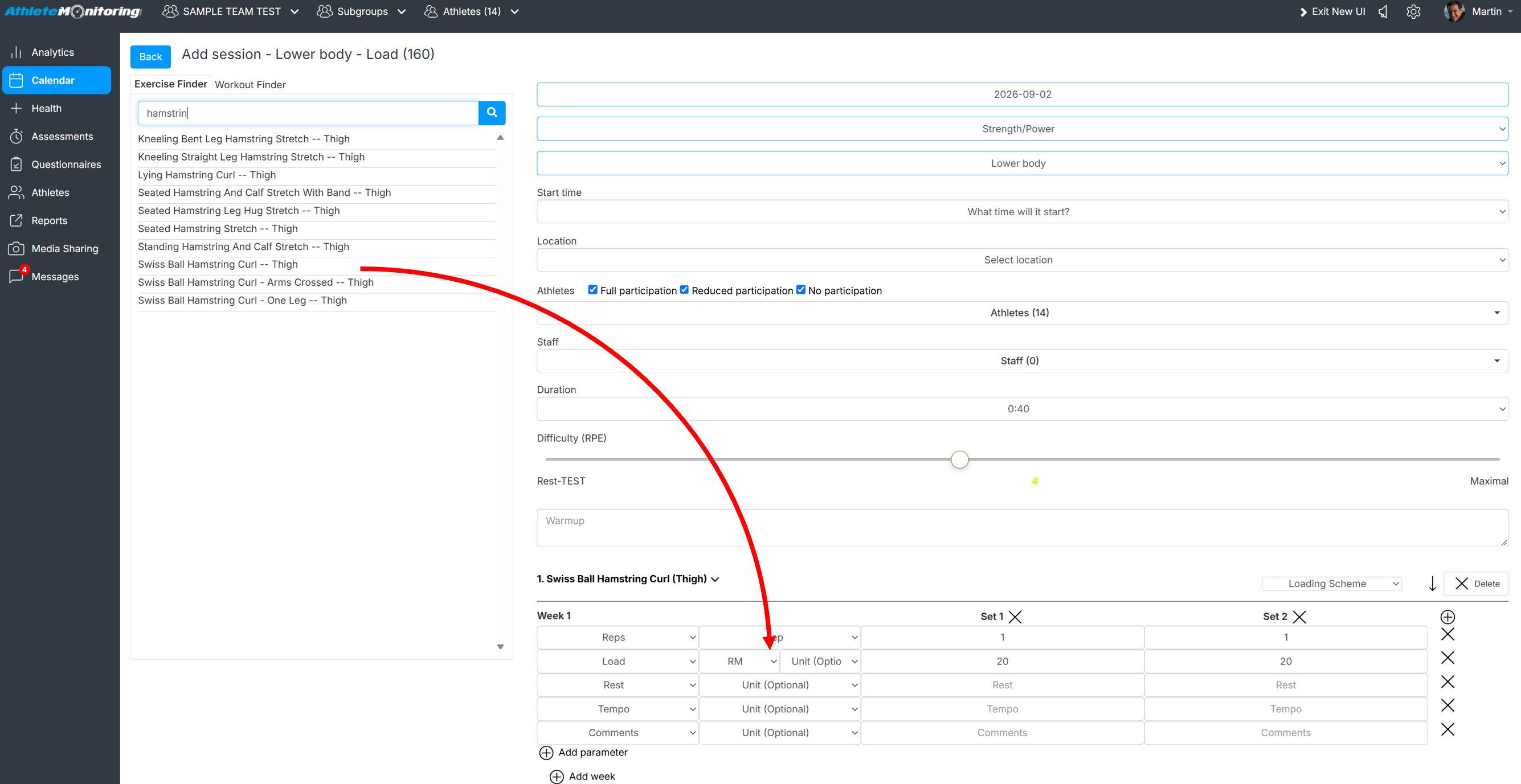
Adding more exercises
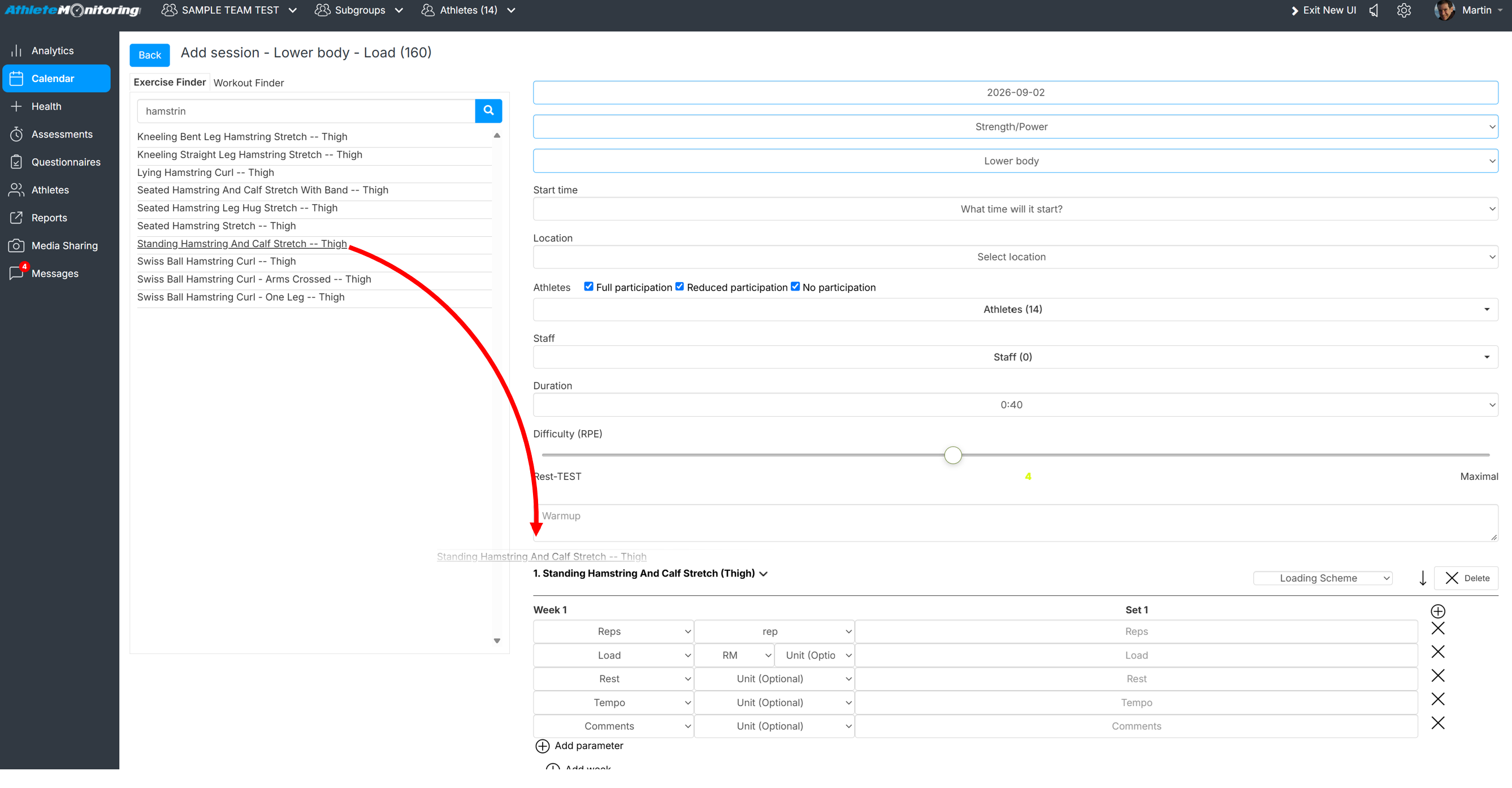
To replace an exercise, drag and drop the exercise on the name of the existing one.
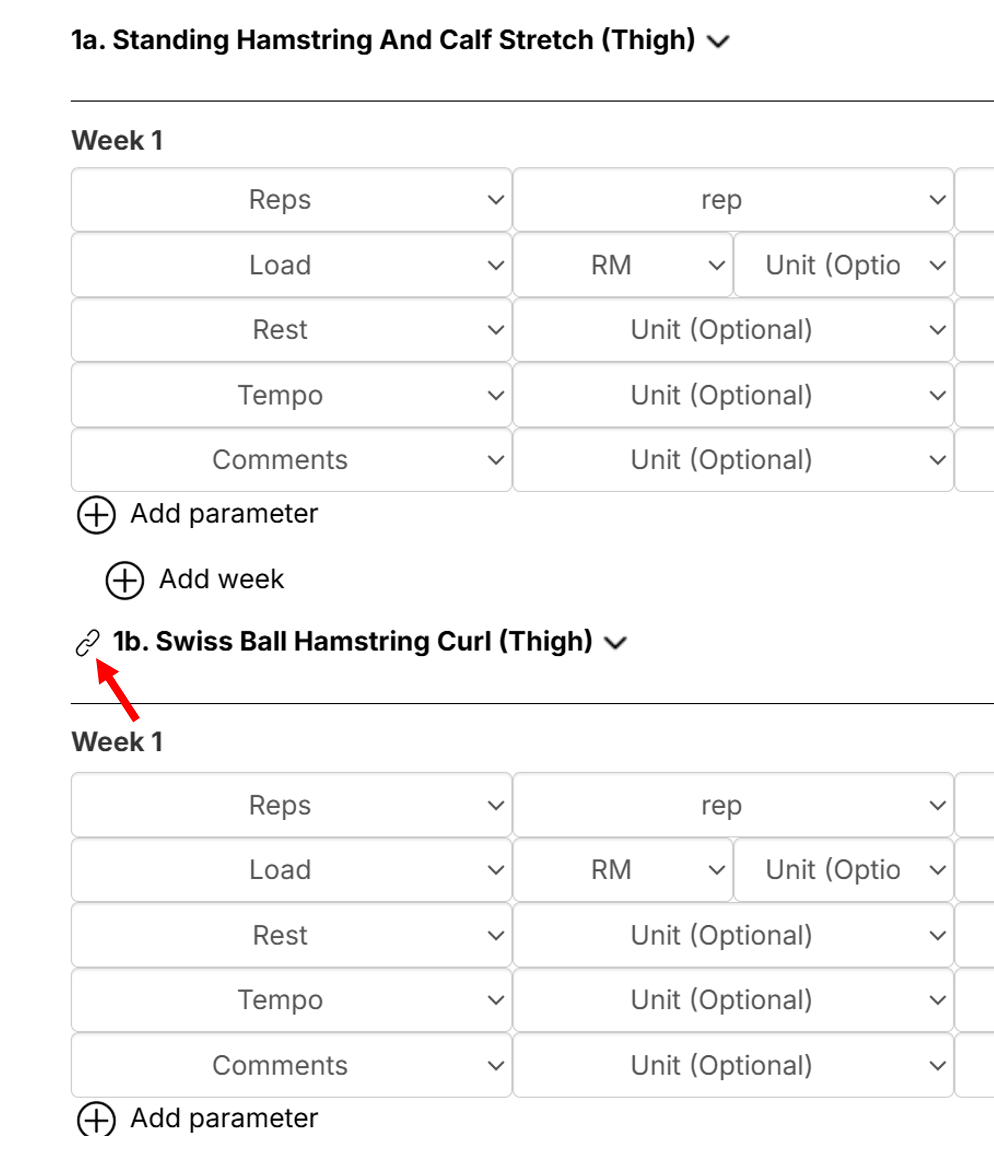
Linking two or more exercises / creating supersets
Link two or more exercises is extremely easy. Simply add the exercises on the top of each other and click the Link icon.
Adding a workout template
Open the Workout finder tab and click on the template you'd like to add on the program (only exercises can be added by drag and drop)
If you have selected multiple dates and your loading scheme contains multiple weeks, periodized loading parameters will be automatically assigned for each individual session
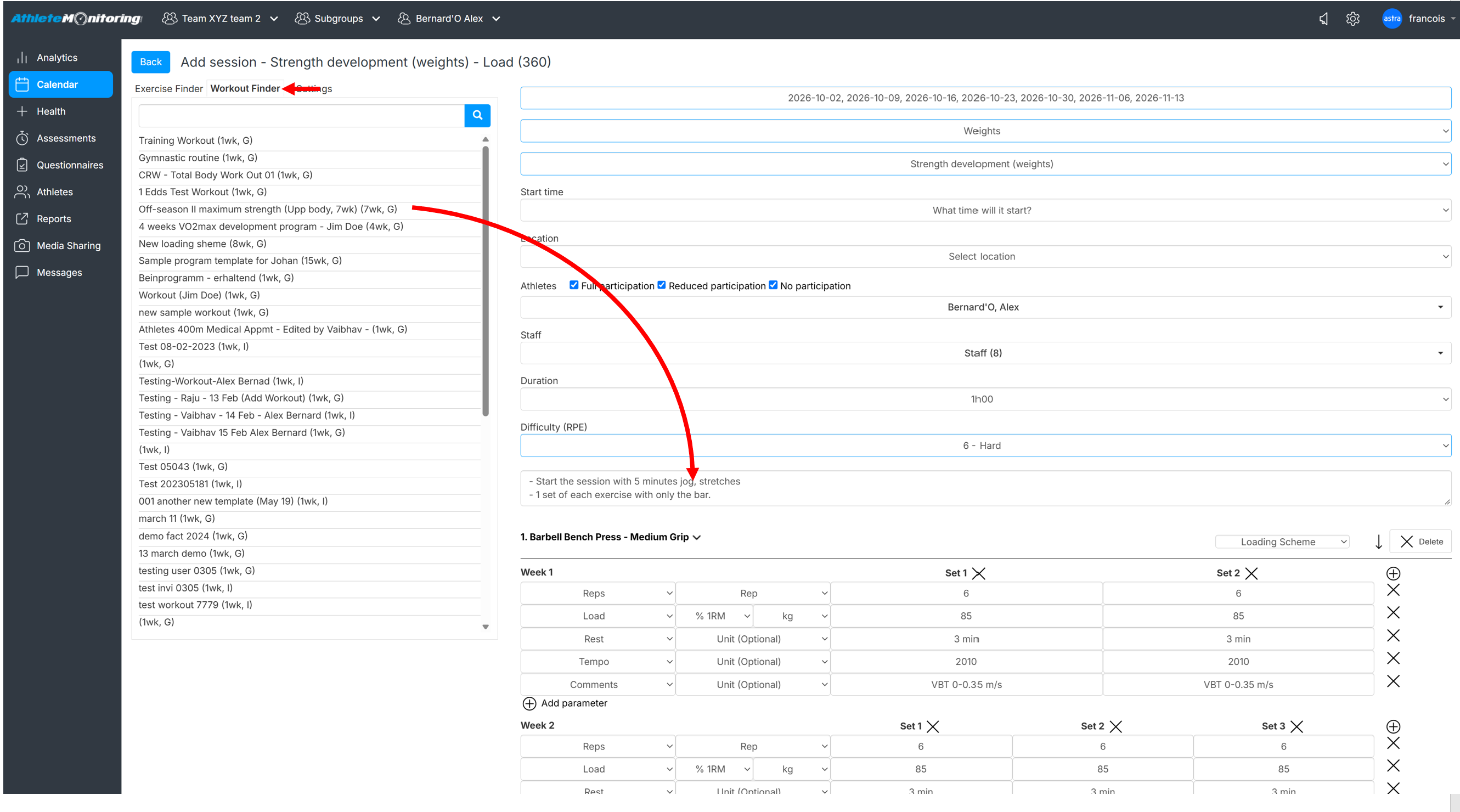
Once all exercises have been added, verify your program, make any necessary changes and click Add session. Athletes can now view your program details and record workouts.
Was this article helpful?
That’s Great!
Thank you for your feedback
Sorry! We couldn't be helpful
Thank you for your feedback
Feedback sent
We appreciate your effort and will try to fix the article