When the workout builder is activated, you can easily access the exercise history for the athlete(s) and exercise(s) of your choice during the exercise planning process.
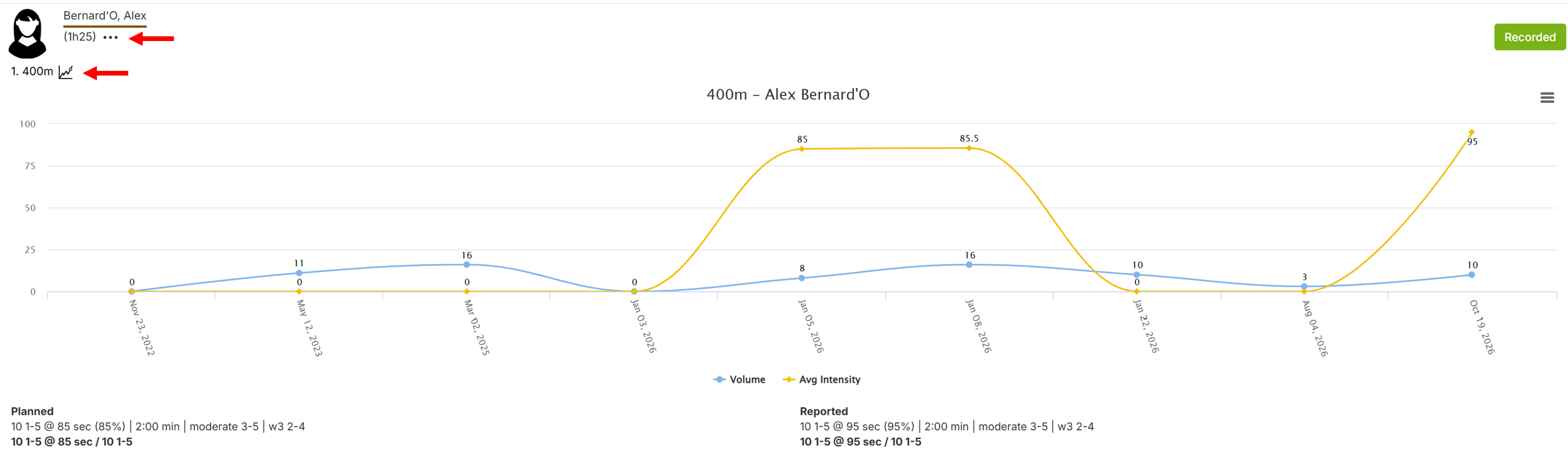
Option 1 - from a reported session
Open the calendar, open a reported session, click the ... and click the graph icon.
Option 2 - from the exercise analytics dashboard
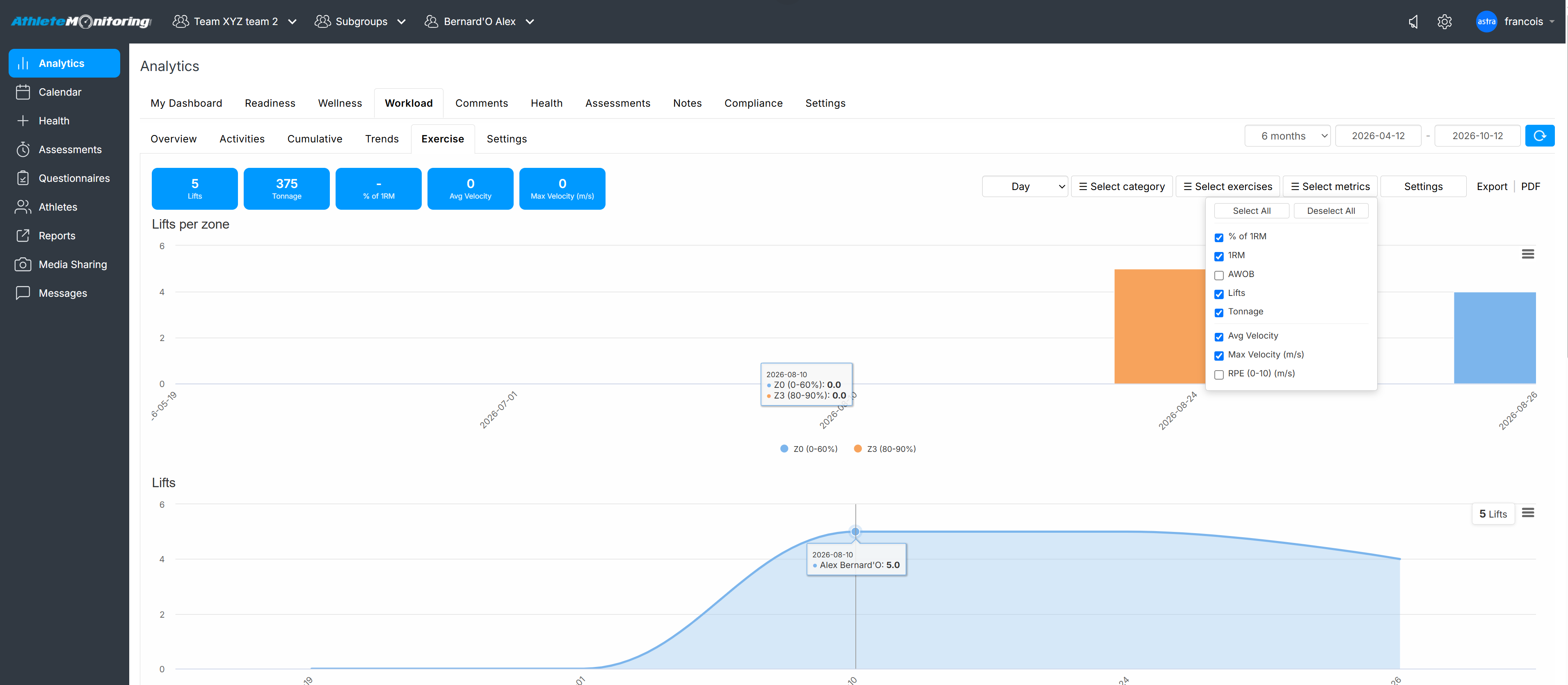
Select an athlete, in the top selector, click the Analytics menu and open the Workload-Exercises tabs. Then select the category of exercises, exercise(s), and metrics. Summary data table and log are visible under the graphs.
Was this article helpful?
That’s Great!
Thank you for your feedback
Sorry! We couldn't be helpful
Thank you for your feedback
Feedback sent
We appreciate your effort and will try to fix the article