The exercise library contains all the exercises you can use to create workouts.
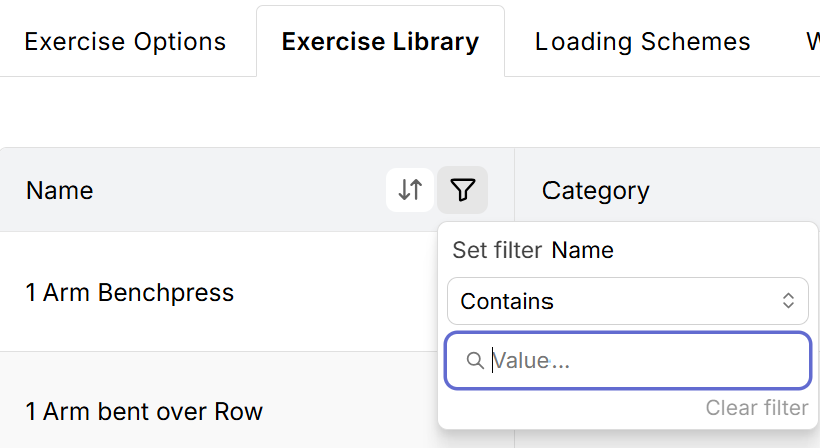
To find exercises, click the funnel icon displayed at the top of the Name column, enter the name of the exercise you are looking for.
To add a new exercise to the library, click the Add New link. To edit an existing exercise, click the exercise name or the Edit button.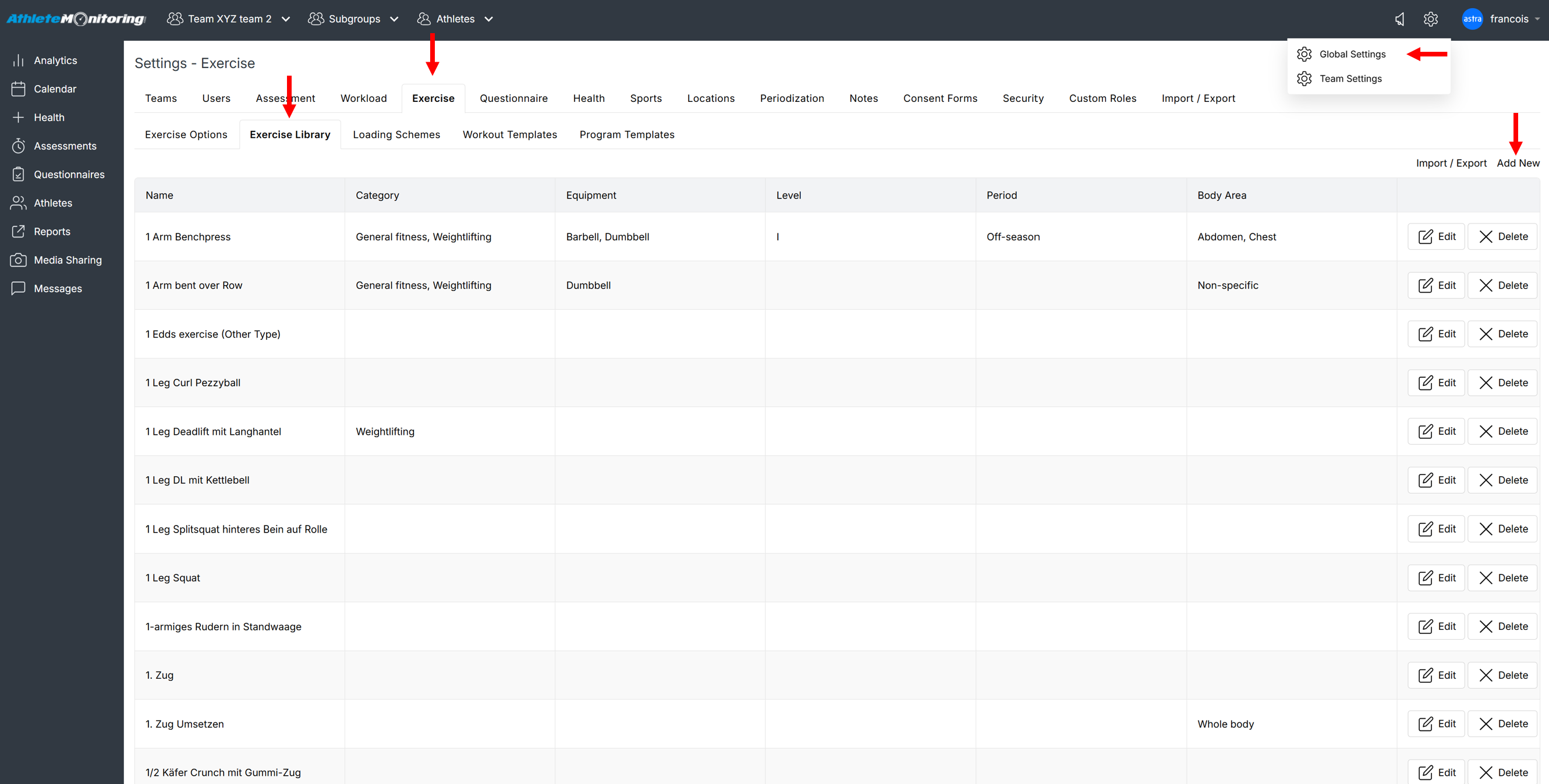
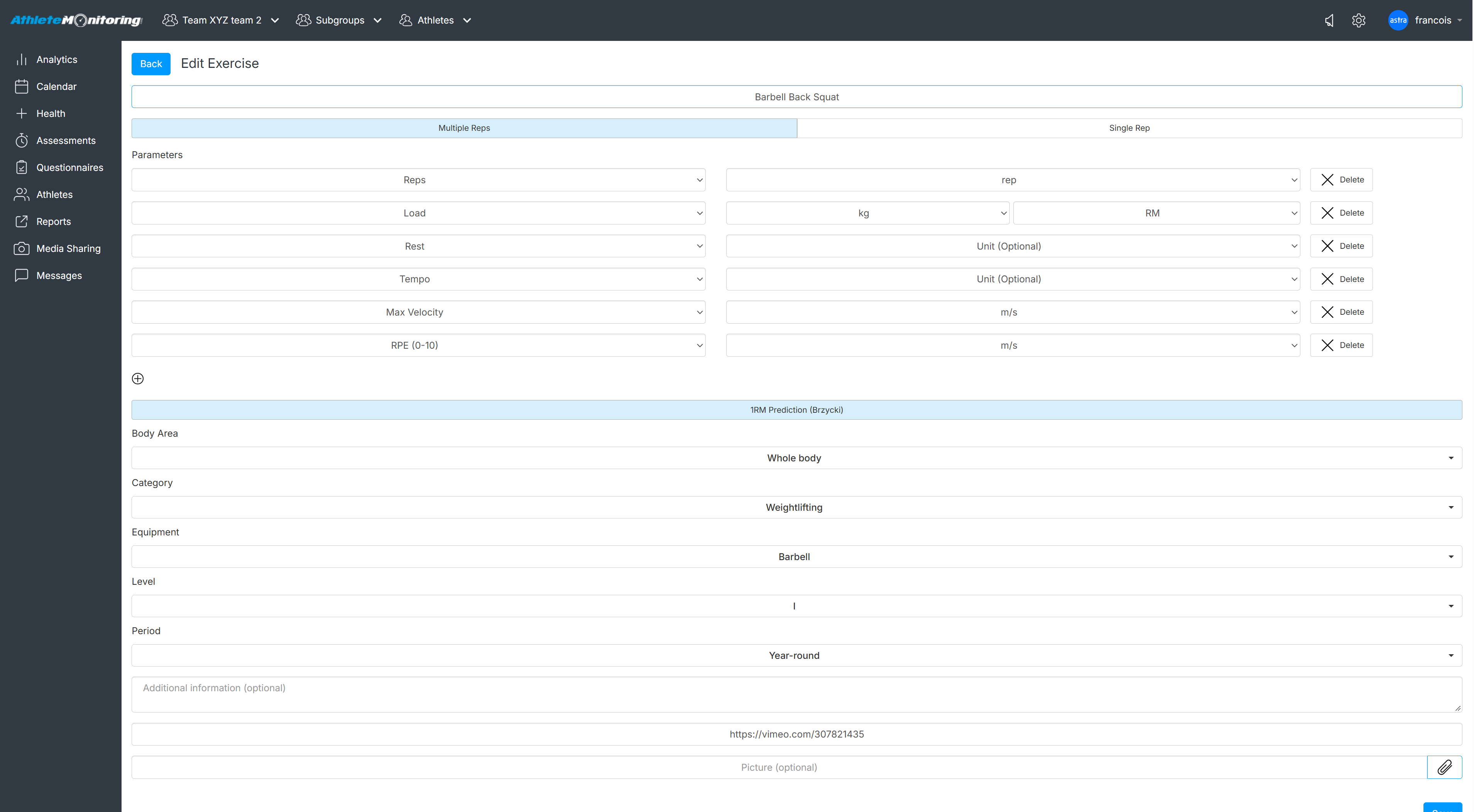
Exercise name
This is the name of your exercise
Type of exercise
To track the load used for the entire set (eg: 3x10 @ 120lb), select Multiple Reps.
To track each repetition individually (eg: 10reps@120lb + 8reps@130lb +6reps@140lb), select Single Rep.
Exercise parameters
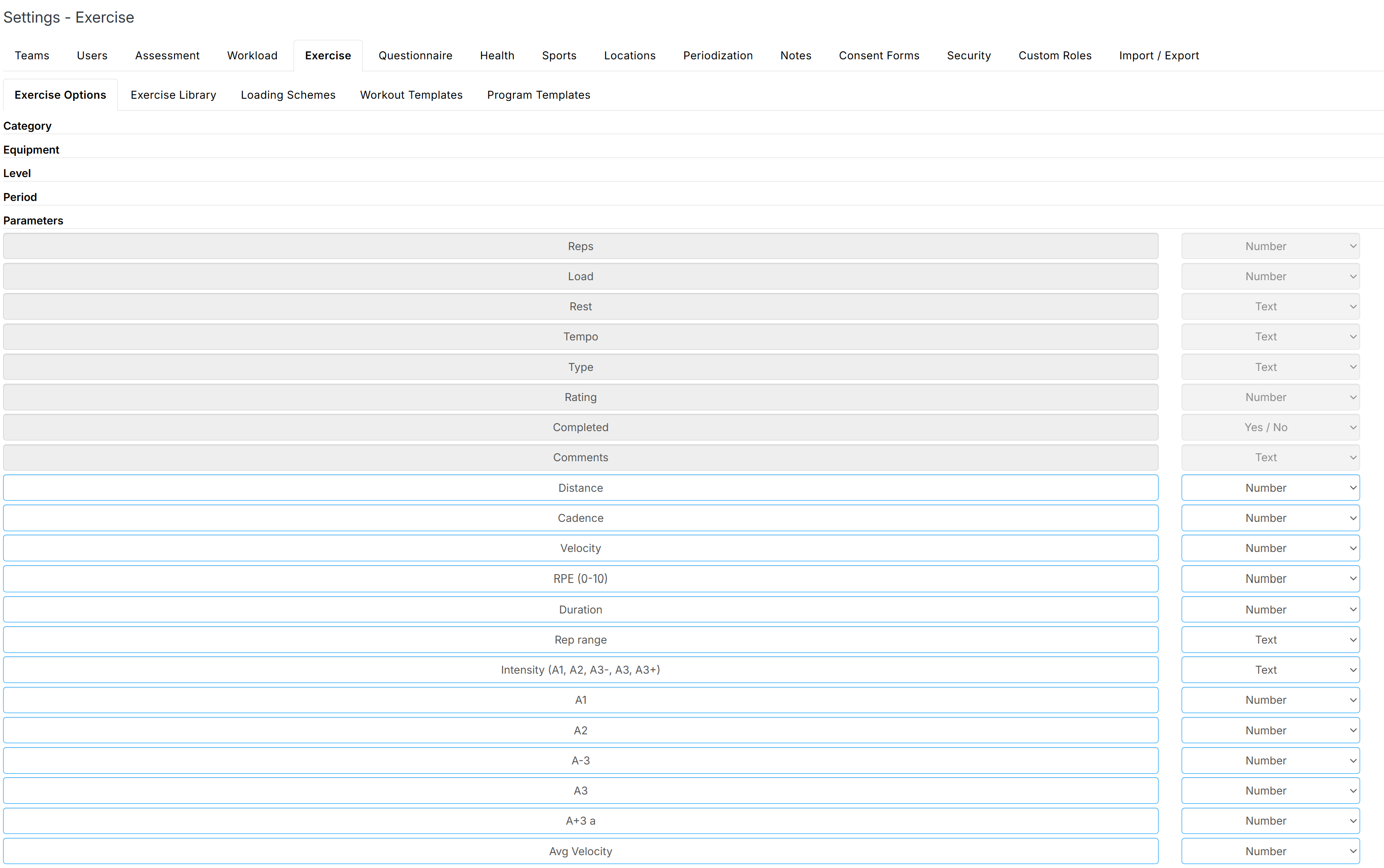
Parameters will define the type of exercise you are creating. You can edit the list of parameters from the Exercise options tab.
1RM Prediction
If you'd are adding a strength exercise and would like to automatically predict 1-rep max (using the Brzycki equation) during strength training sessions, select the 1RM Prediction button. To ensure optimum accuracy, 1RM are only calculated when athletes are reporting 5 reps or less.

Search tags
Select one or several search tags. Use Ctrl+click to select multiple options. You can edit the lists from the Exercise options tab.
Exercise information
Exercise information presented to the athlete.
Video link
Video (youtube, Vimeo, etc) associated with the exercise and presented to athletes.
. Should start with https://.
Picture
Image file that will be displayed on programs presented to the athletes.
Was this article helpful?
That’s Great!
Thank you for your feedback
Sorry! We couldn't be helpful
Thank you for your feedback
Feedback sent
We appreciate your effort and will try to fix the article