Creating program templates
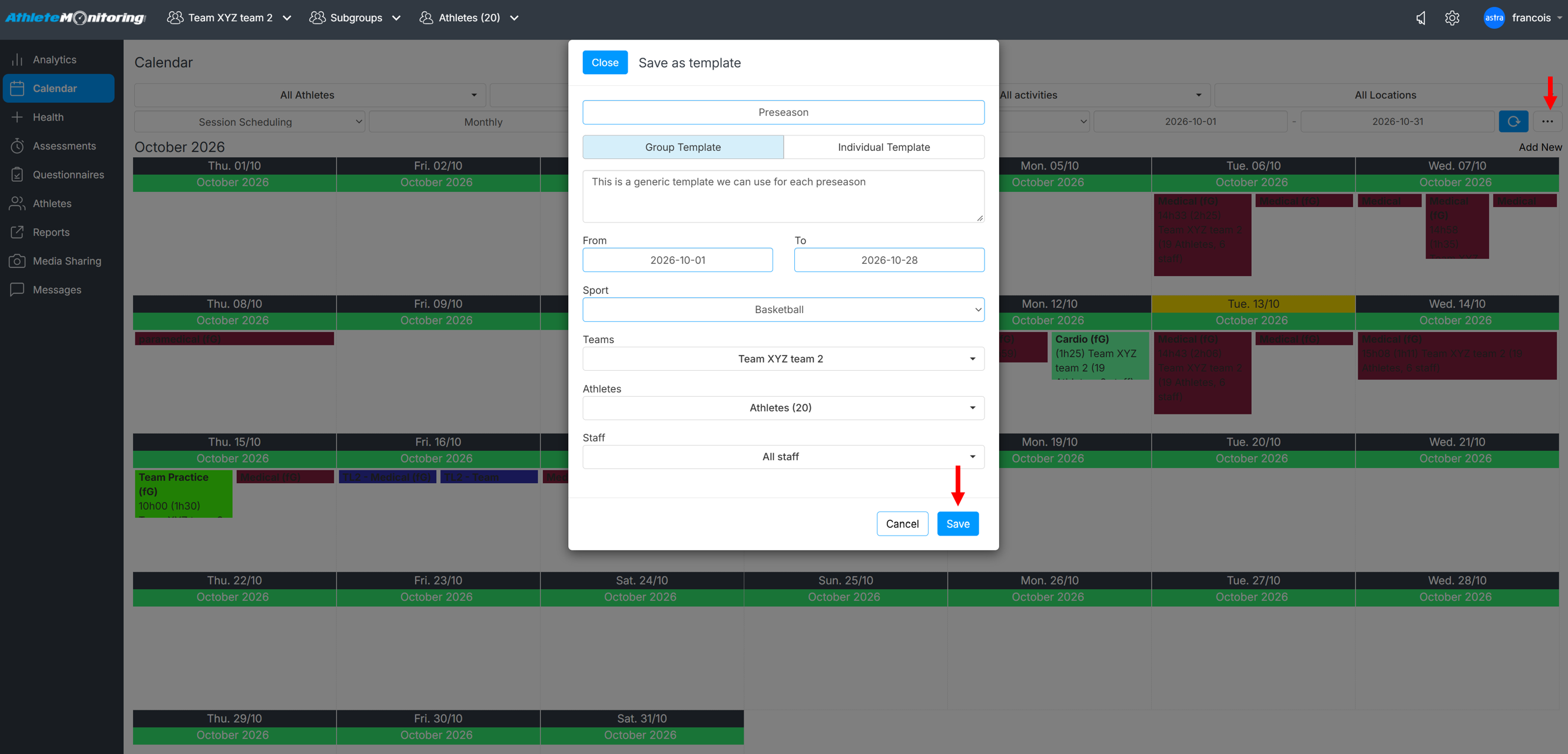
To save an entire calendar with all sessions, exercises and parameters for later use, display the desired calendar and click Export-Program template.
Using program templates
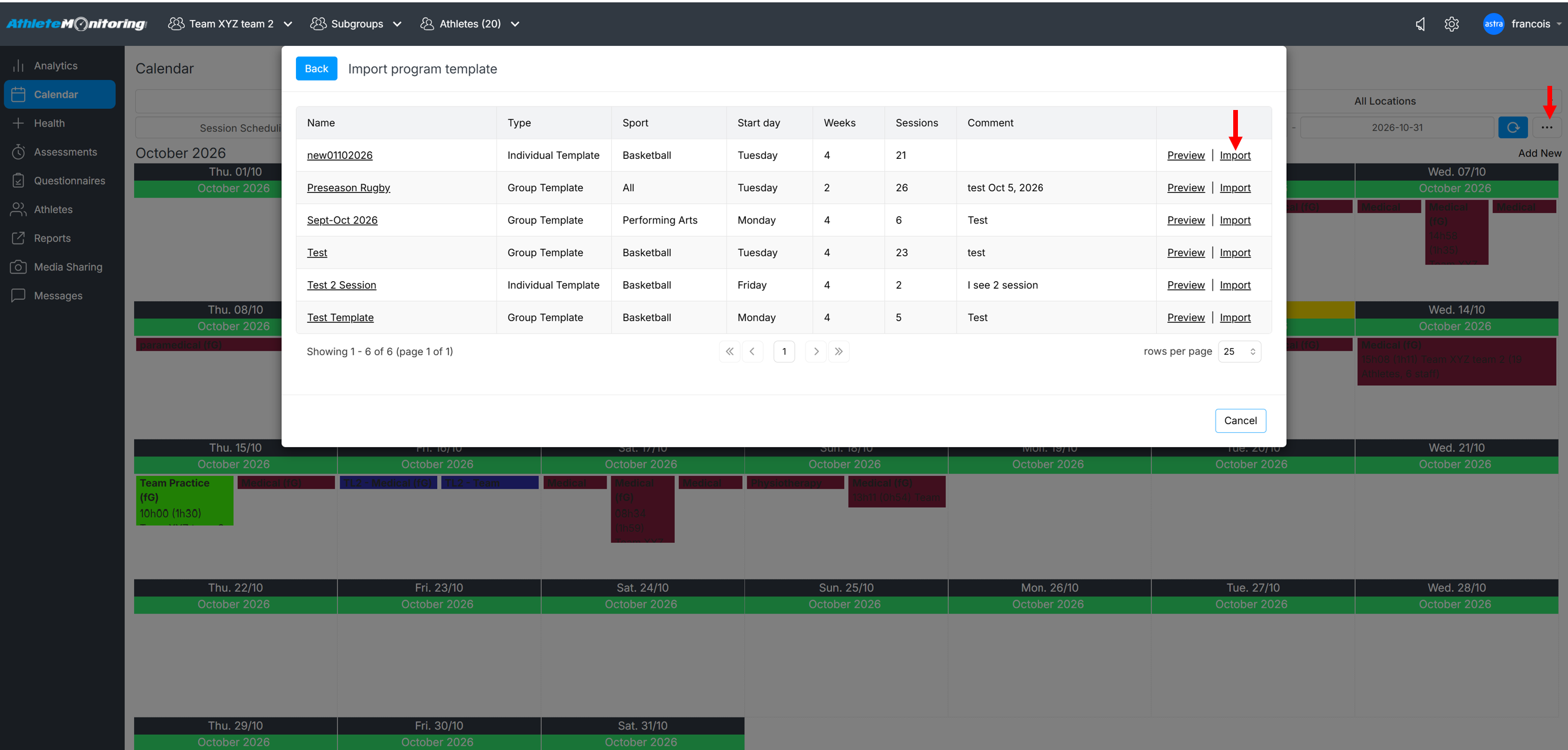
To import a program template, click the ... button, Import, select Program template and click Import
Editing and Deleting program templates
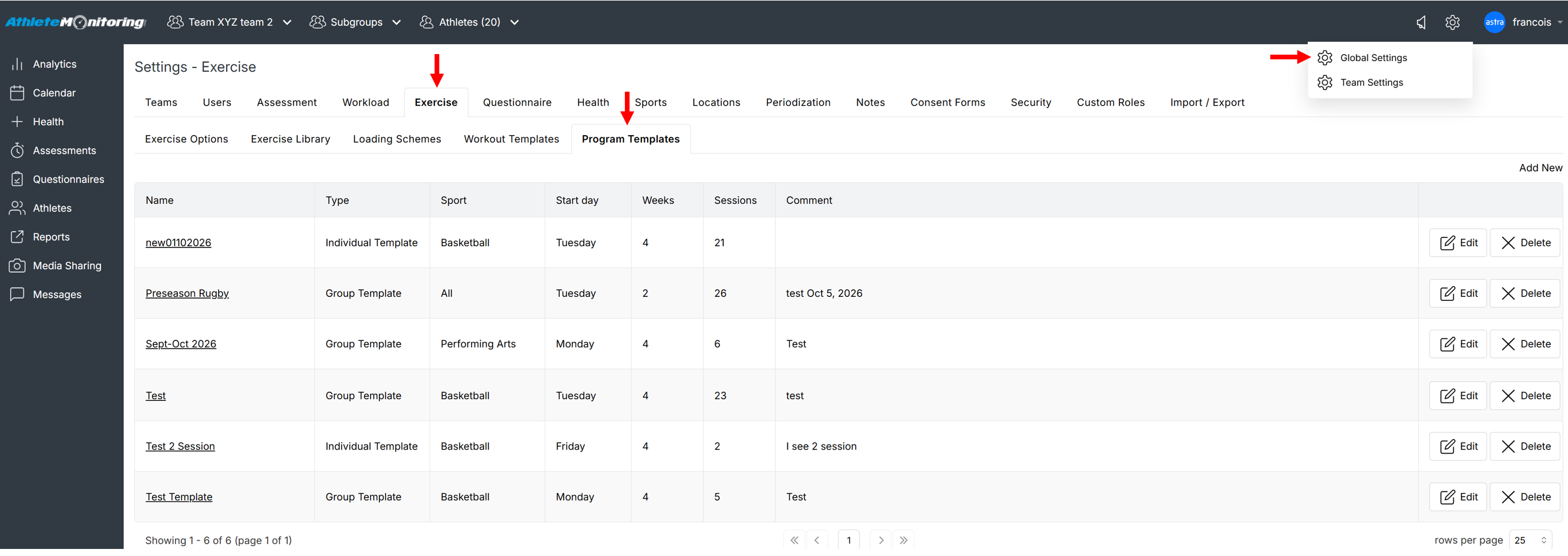
To edit or delete existing program templates, open Global Settings-Exercise-Program templates and click the template's name or the Edit or Delete buttons.
Was this article helpful?
That’s Great!
Thank you for your feedback
Sorry! We couldn't be helpful
Thank you for your feedback
Feedback sent
We appreciate your effort and will try to fix the article