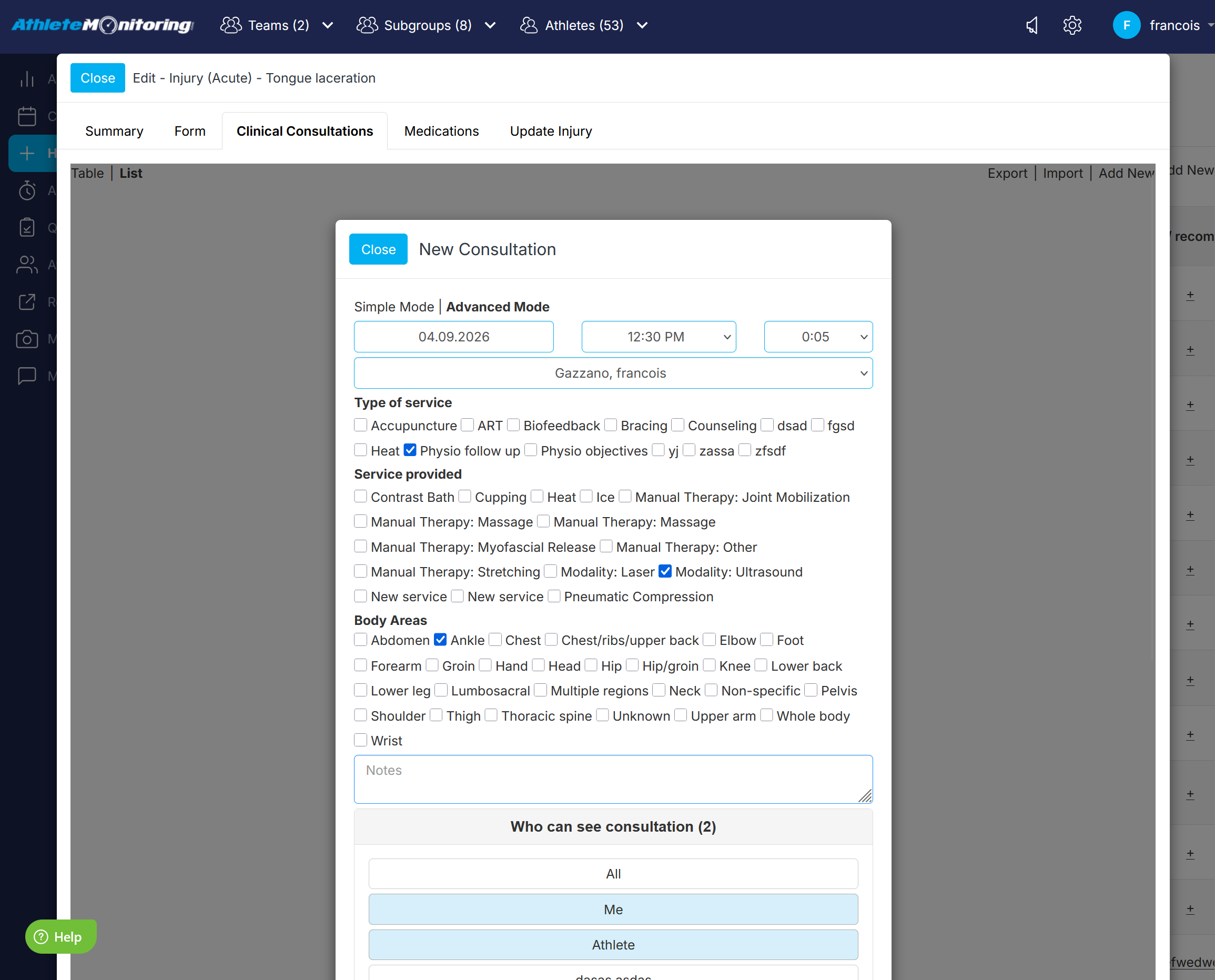
Restricting notes access to specific users
By default, notes can only be seen by their author. To allow more staff / practitioner to view the note you are recording, click on the 'Who can see note' link and to select their names before saving the note.
Restricting questionnaires
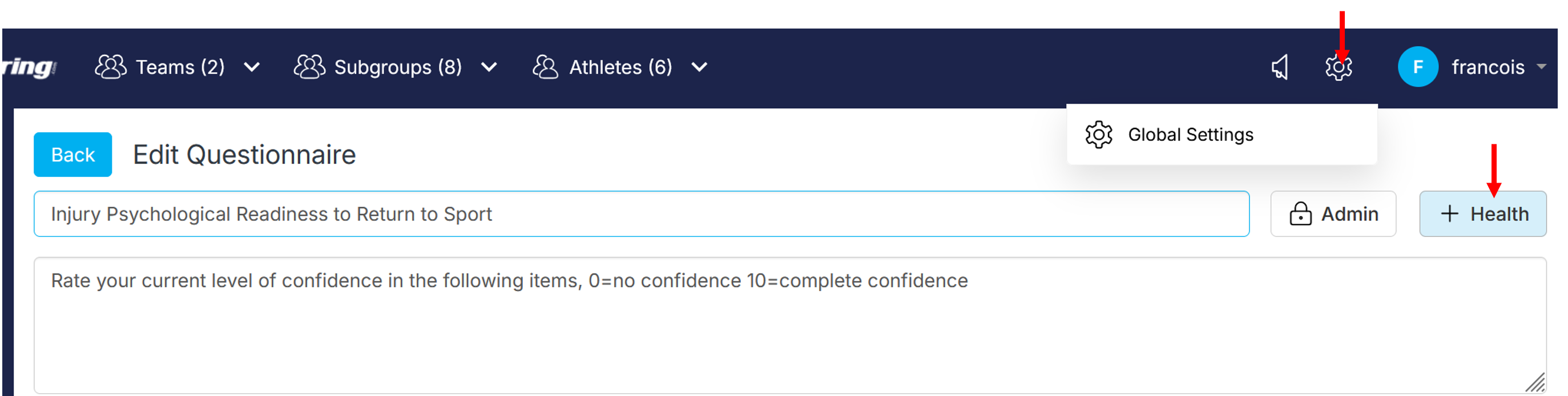
It is possible to restrict the access to questionnaire results to only users with permission to access medical data (user types: account owners, administrators, medical and manager).
This restriction is set by activating the 'medical' and 'key' icon located in the note section, test battery and questionnaire settings.
Global Settings ->Questionnaires->Edit questionnaire icon->Key | Medical icon
Restricting test batteries
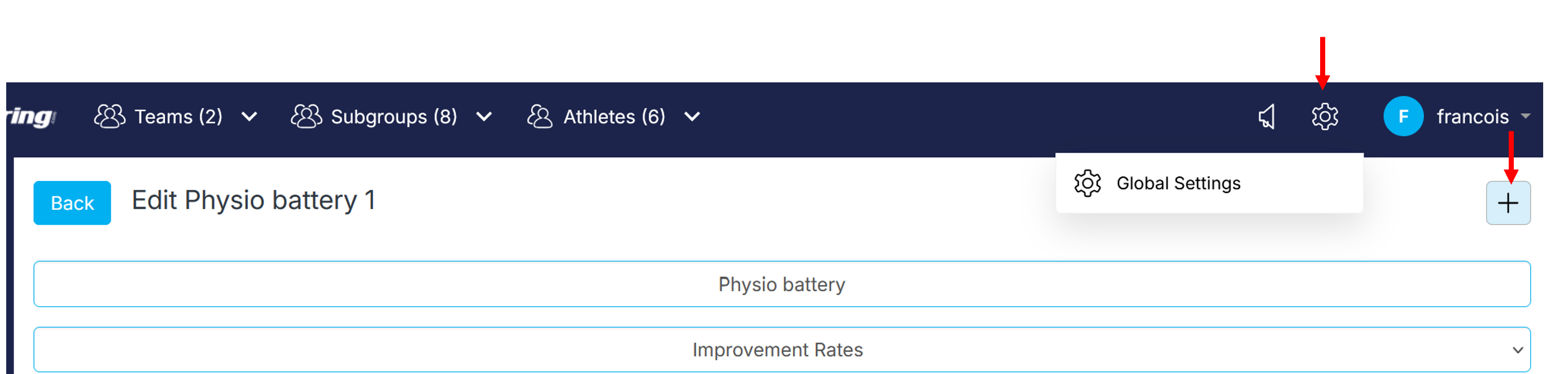
It is possible to restrict the access to test batteries to only users with permission to access medical data (user types: account owners, administrators, medical and manager).
Global Settings menu->Assessments->Test batteries ->Medical icons
Restricting specific tests
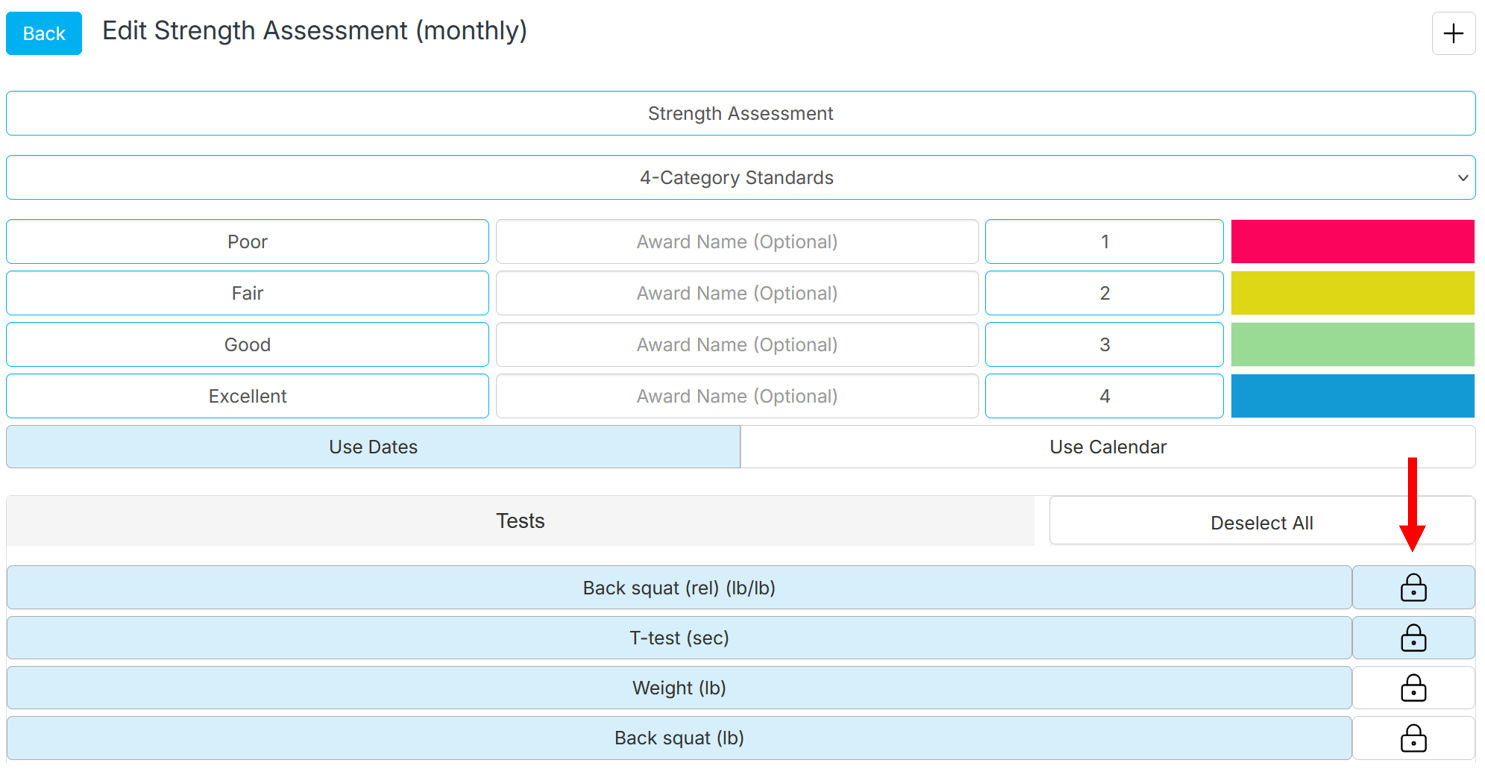
It is possible to restrict the access to testresults to only users with permission to access medical data (user types: account owners, administrators, medical and manager).
Global Settings menu->Assessments->Test batteries ->Edit battery icon->Key icons
Was this article helpful?
That’s Great!
Thank you for your feedback
Sorry! We couldn't be helpful
Thank you for your feedback
Feedback sent
We appreciate your effort and will try to fix the article