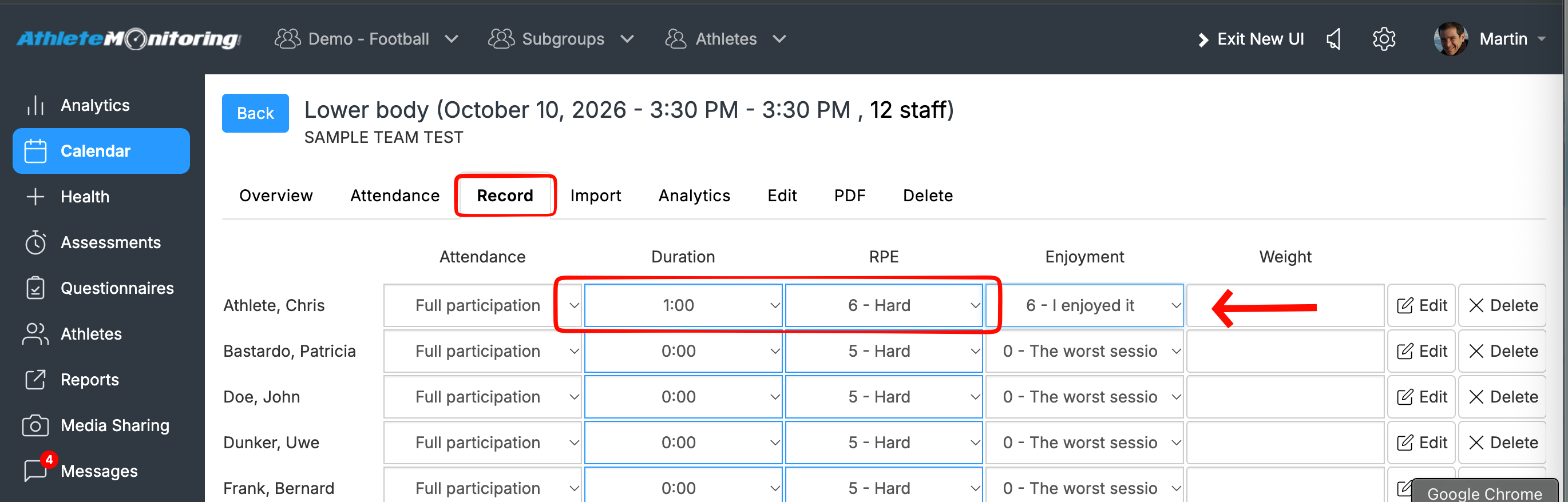
The quickest way to record training loads on behalf of athletes is:
Go to Team Settings > Training Forms, set “Simplified Monitoring” to “Yes”, and click “Save”.
Open Calendar (Planning), select the session, choose the athlete you want to record data for, and click “Record”.
To record a new session, click the relevant date and time in the Calendar. Complete the form, scroll to the bottom, and click “Save”.
Repeat steps 2–3 for each session you want to record.

Was this article helpful?
That’s Great!
Thank you for your feedback
Sorry! We couldn't be helpful
Thank you for your feedback
Feedback sent
We appreciate your effort and will try to fix the article