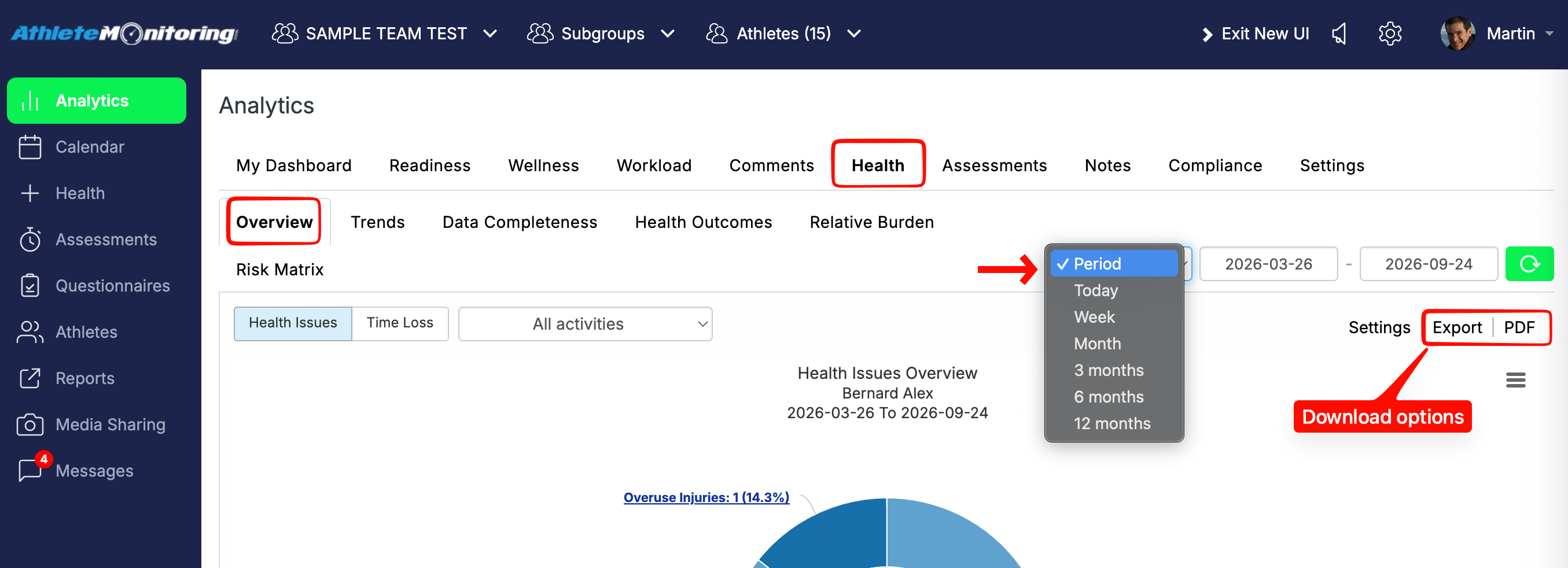
To generate an injury report, open Analytics > Health > Overview. Select the athlete or time period from the options at the top and choose the required date range.
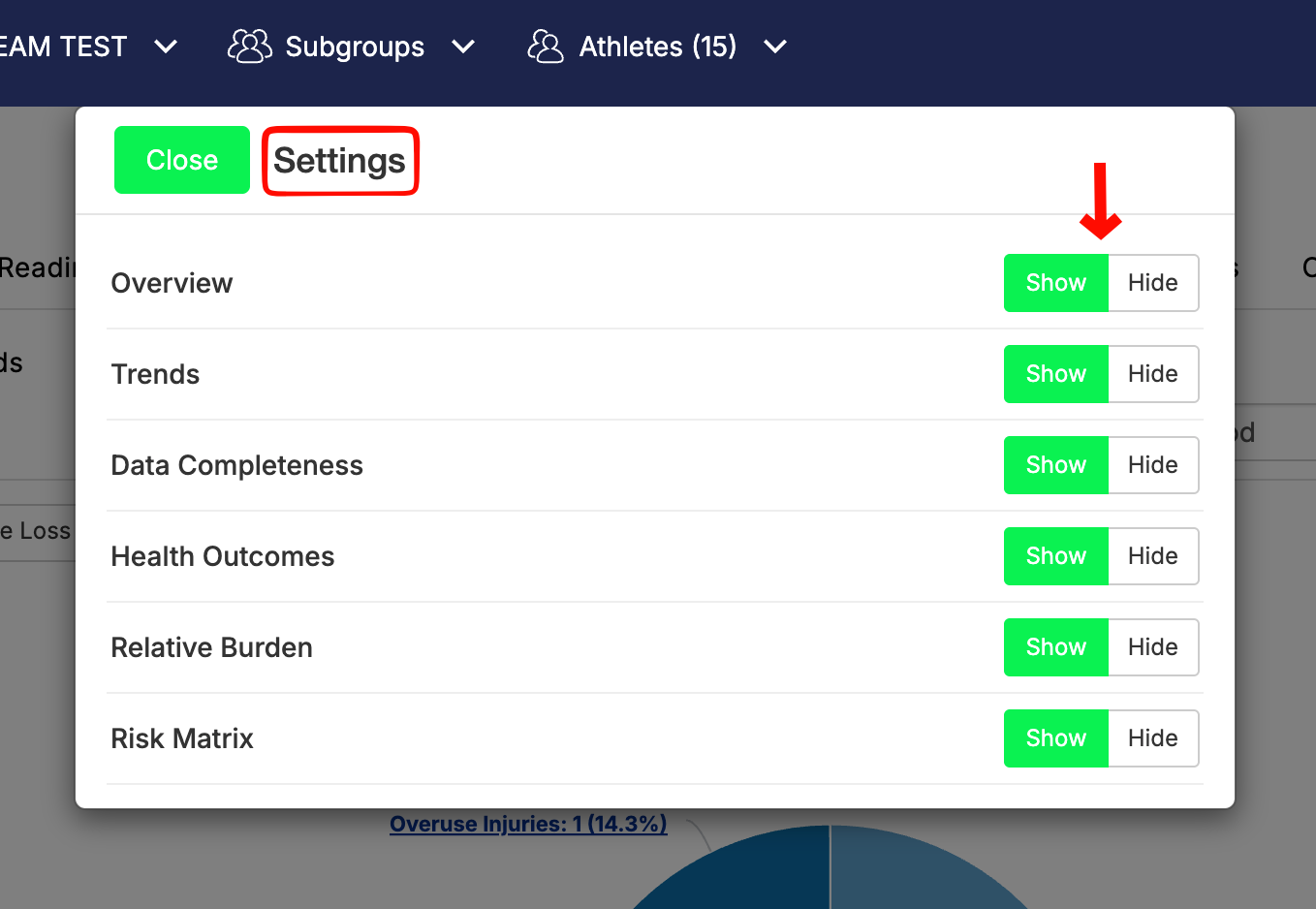
You can hide graphs you do not need by selecting “Hide” in the graph settings. Add comments below the graphs if required, then click “Print” below the last graph.
The report can be downloaded as a PDF or exported as a CSV file.
To download injury logs and statistics, please follow this tutorial.
Was this article helpful?
That’s Great!
Thank you for your feedback
Sorry! We couldn't be helpful
Thank you for your feedback
Feedback sent
We appreciate your effort and will try to fix the article