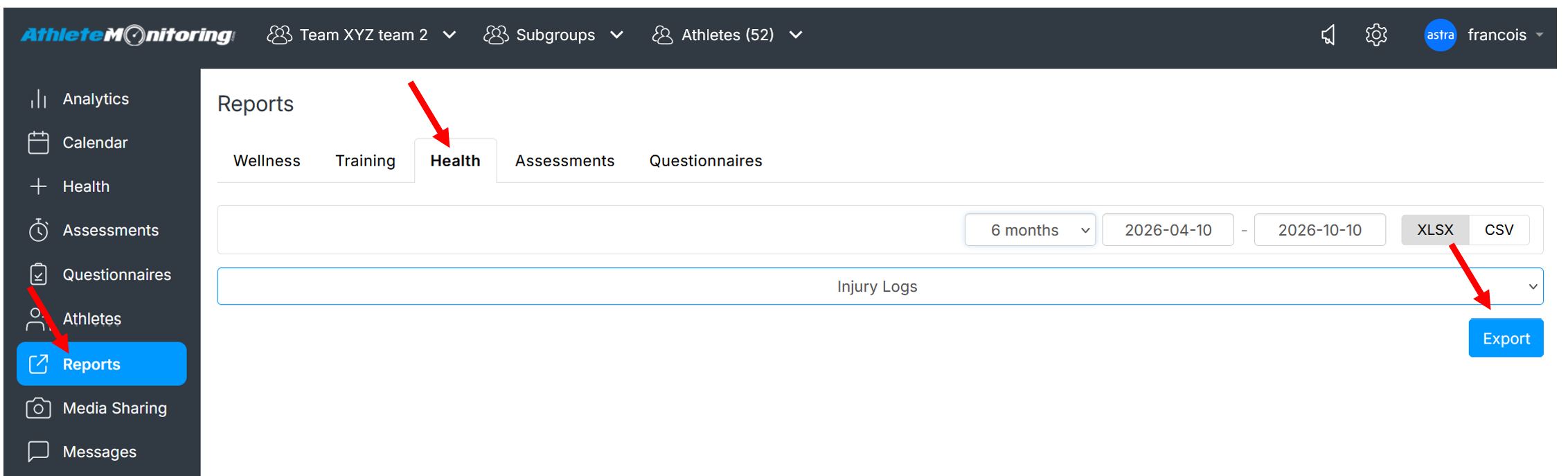
To export injury log and detailed statistics, open the Reports menu, option from the team menu, select Injury Log, select teams/athletes, date range, the export format (Excel or CSV) and click Export. The exported file will include two tabs: Log and Stats
The Log tab includes each recorded and self-reported incident along with matching details

The Stats tab includes individual and team injury statistics for the selected period

Was this article helpful?
That’s Great!
Thank you for your feedback
Sorry! We couldn't be helpful
Thank you for your feedback
Feedback sent
We appreciate your effort and will try to fix the article