This feature will allow you to record results for the same tests several times per day. This option do not work with batteries set to use preset assessment calendar.
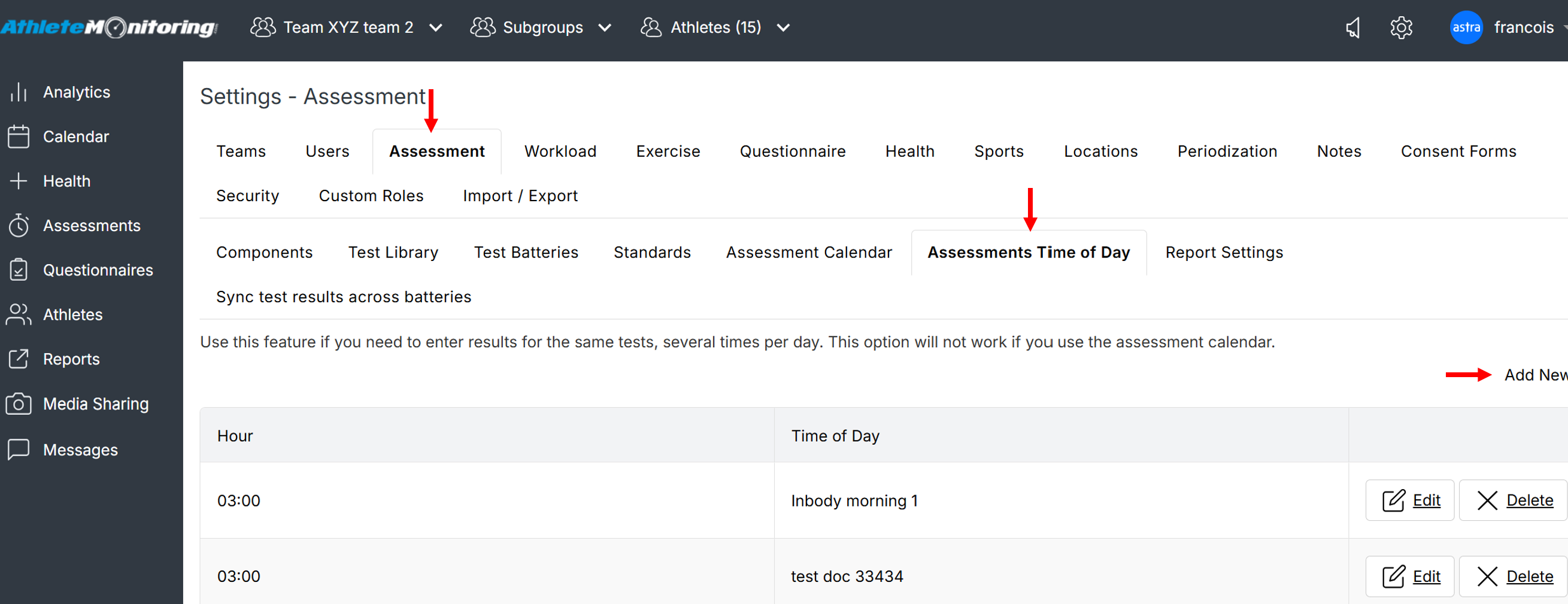
To add a new entry, open Global Settings-Assessment-Assessment Time of Day and click Add New. To change an existing entry, click on its name in the Time of Day column or click Edit.
Was this article helpful?
That’s Great!
Thank you for your feedback
Sorry! We couldn't be helpful
Thank you for your feedback
Feedback sent
We appreciate your effort and will try to fix the article