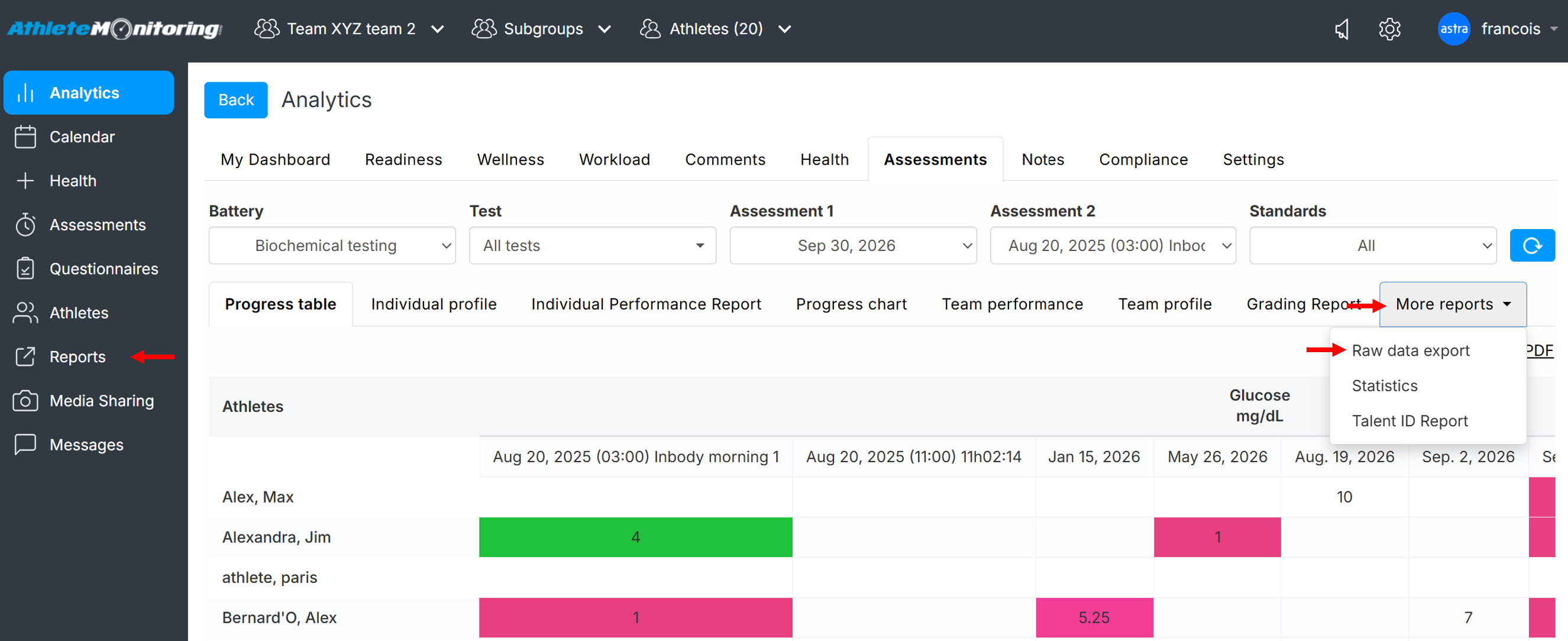
To export raw data assessment reports and graphs for the selected team(s) and athlete(s), open Analytics-Assessments section, select a test battery, a date range, a sport (if your test battery uses standards), select More reports-Raw data export and click Refresh.
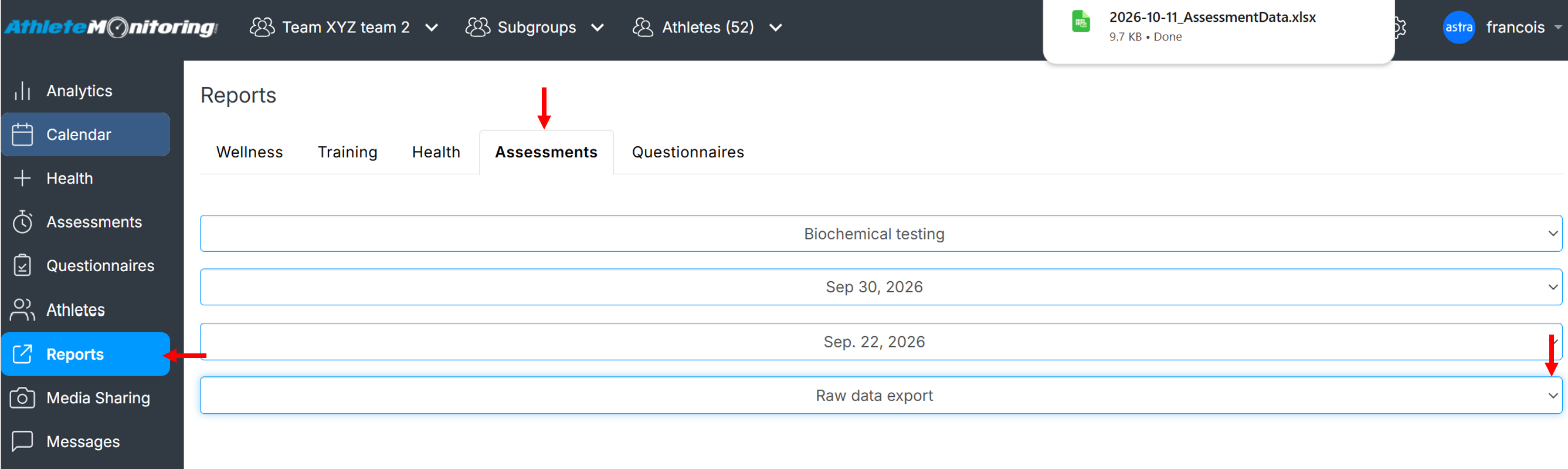
Alternatively, click the Reports menu option, open the assessment tab and select the desired options. The report will be automatically exported.
Was this article helpful?
That’s Great!
Thank you for your feedback
Sorry! We couldn't be helpful
Thank you for your feedback
Feedback sent
We appreciate your effort and will try to fix the article