The Firstbeat data sync is handled via a scheduled cron job (automated script) that runs once daily.
To activate the Firstbeat API integration option on your account, please contact us.
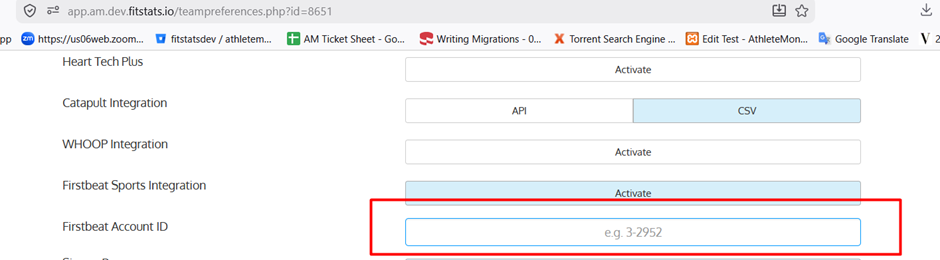
Step 1: Configure Team Settings
- Go to Team Settings.
- Open the General tab.
- Enable Firstbeat Sports Integration.
- Enter the required Account ID.
- Click Save to apply the changes.
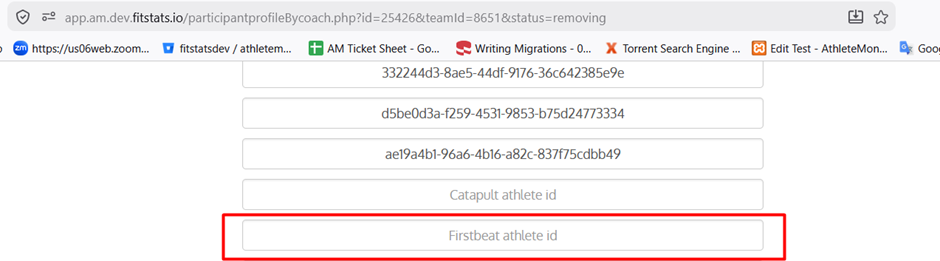
Step 2: Configure Athlete Settings
- Navigate to the Athlete Section.
- Select and edit the desired athlete.
- Enter the Firstbeat Athlete ID.
- Save the athlete details.
Step 3: Collect data
- Upon successful configuration of all steps above, data will be automatically imported into the system.
Was this article helpful?
That’s Great!
Thank you for your feedback
Sorry! We couldn't be helpful
Thank you for your feedback
Feedback sent
We appreciate your effort and will try to fix the article