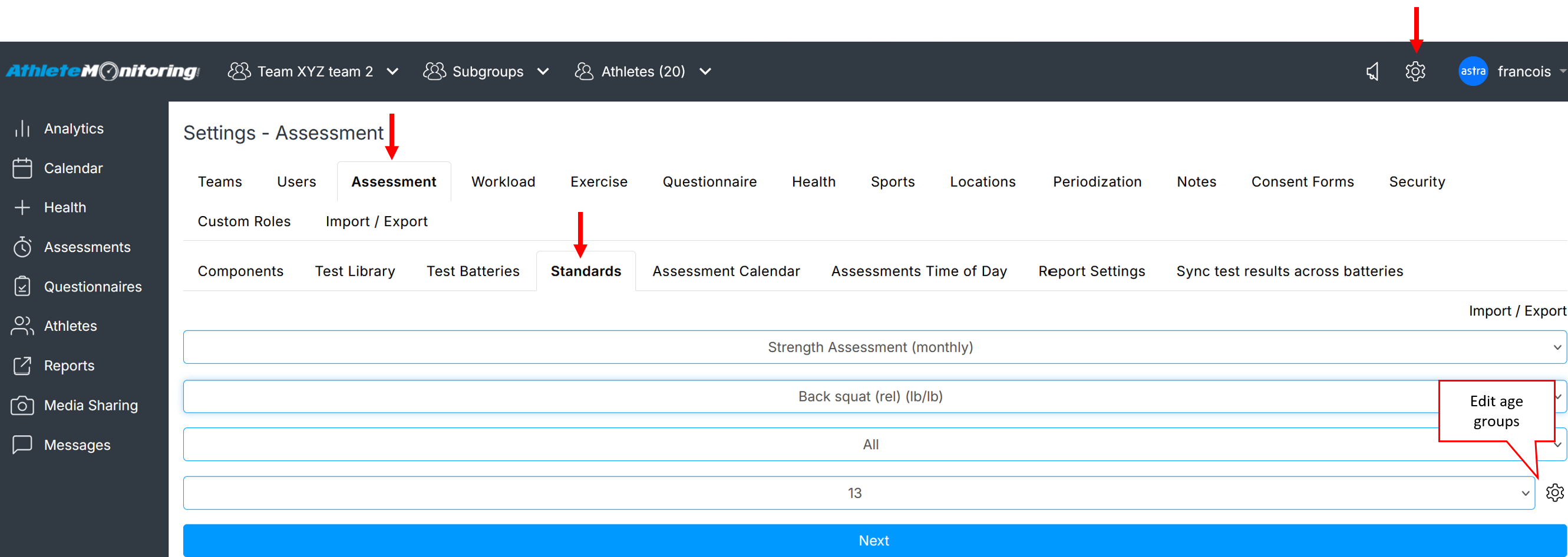
To configure assessment standards, open Global Settings-Assessments-Standards.
If have selected ‘Improvement Rates’ to interpret results when setting up your test battery, skip this section. The number of categories depends on the types of standards selected in the test library.
The number of categories (3-10) depends on the types of standards selected in the test library.
Step 1 - Open the standards
Step 2 - Enter Standards
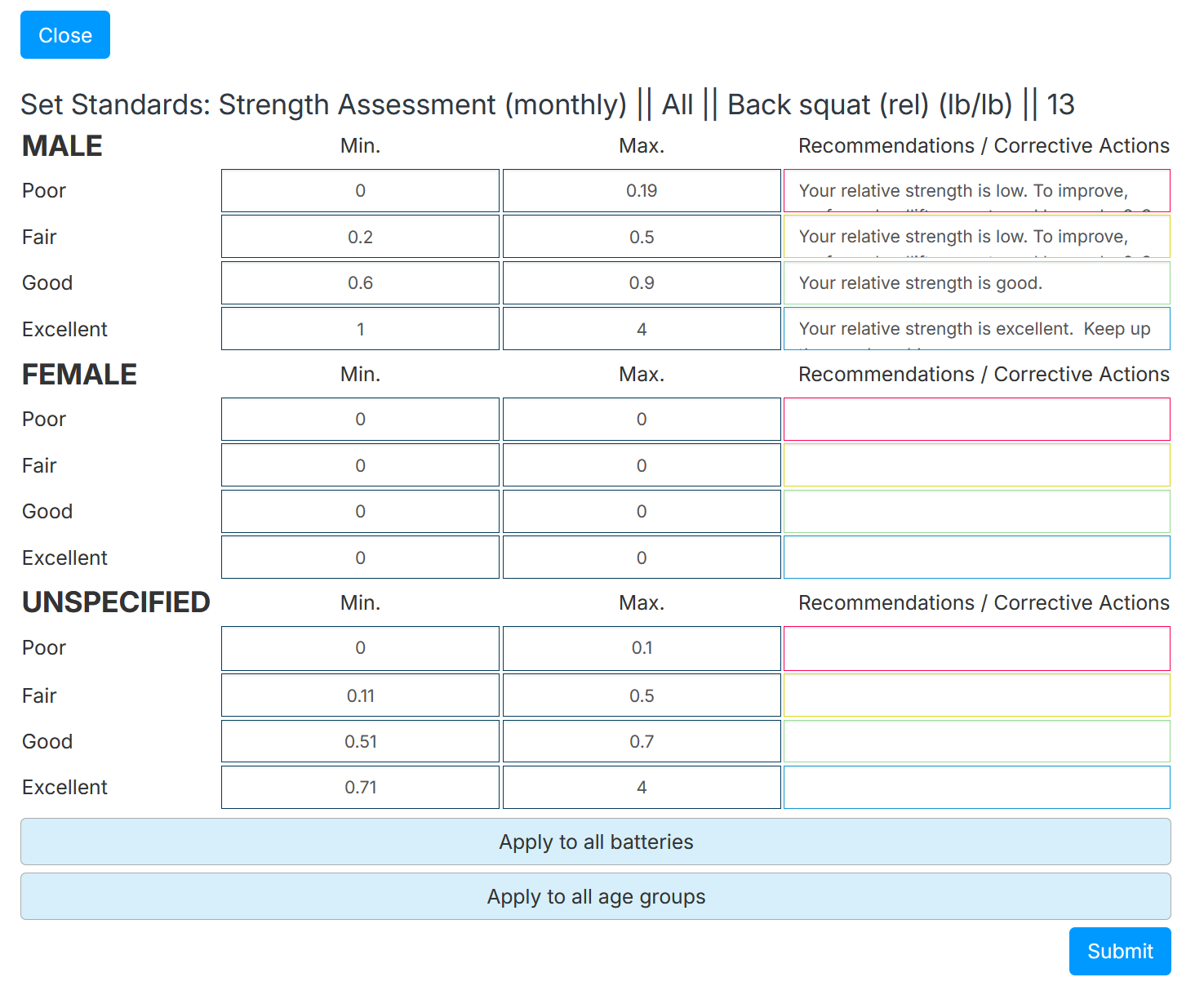
If you select Apply to all age groups, the same standards will be copied to all the age groups available in your system
The Apply to all batteries feature allows administrators to control the creation of battery specific test standards.
When the Apply to all batteries is selected, the standards will apply to the selected test, even if it’s used in multiple batteries.
When the Apply to all batteries is not selected, the standards will apply to the selected test, but only for selected batteries.
Was this article helpful?
That’s Great!
Thank you for your feedback
Sorry! We couldn't be helpful
Thank you for your feedback
Feedback sent
We appreciate your effort and will try to fix the article