This usually happens when you use a test battery with no tests selected.
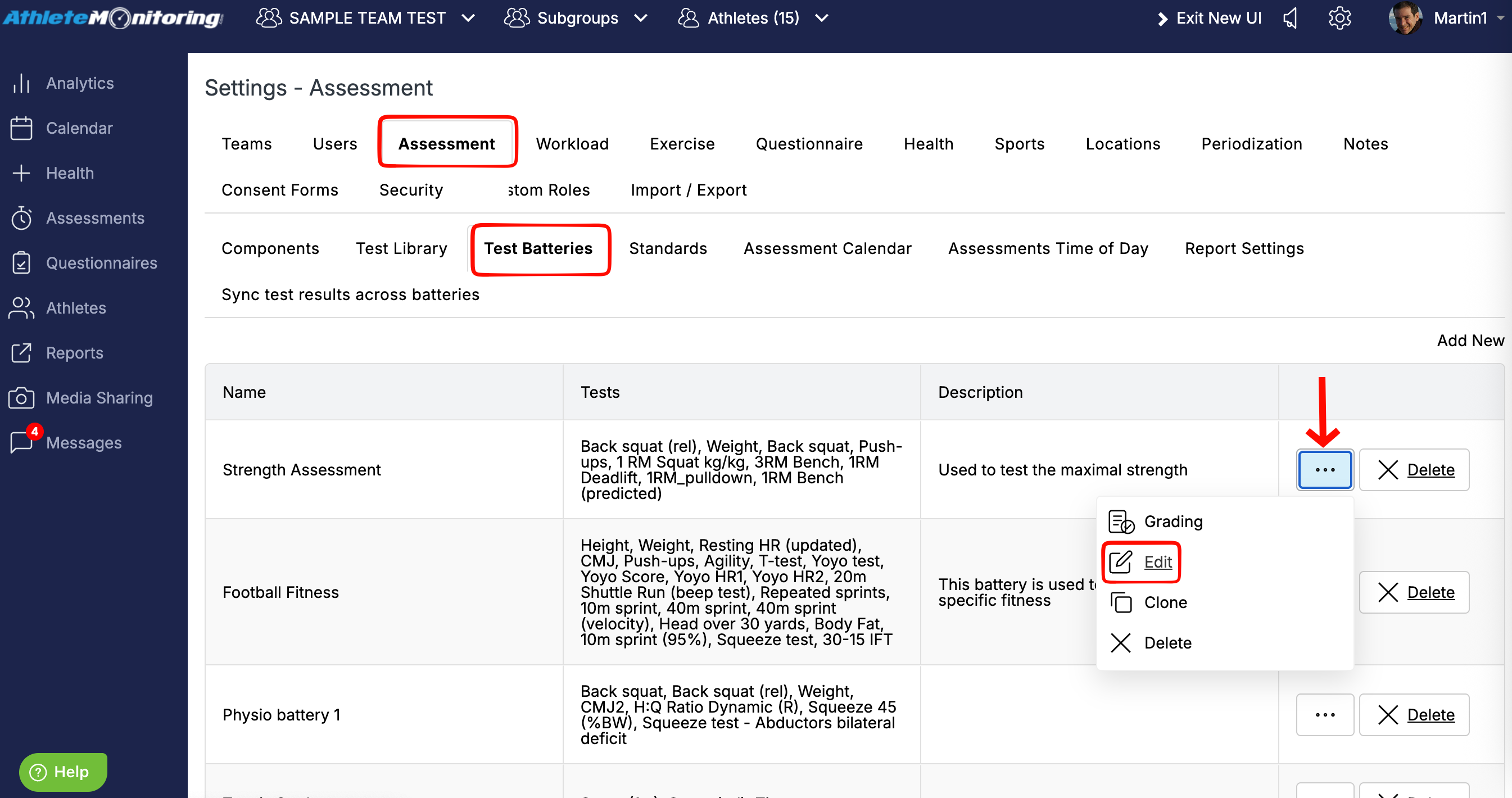
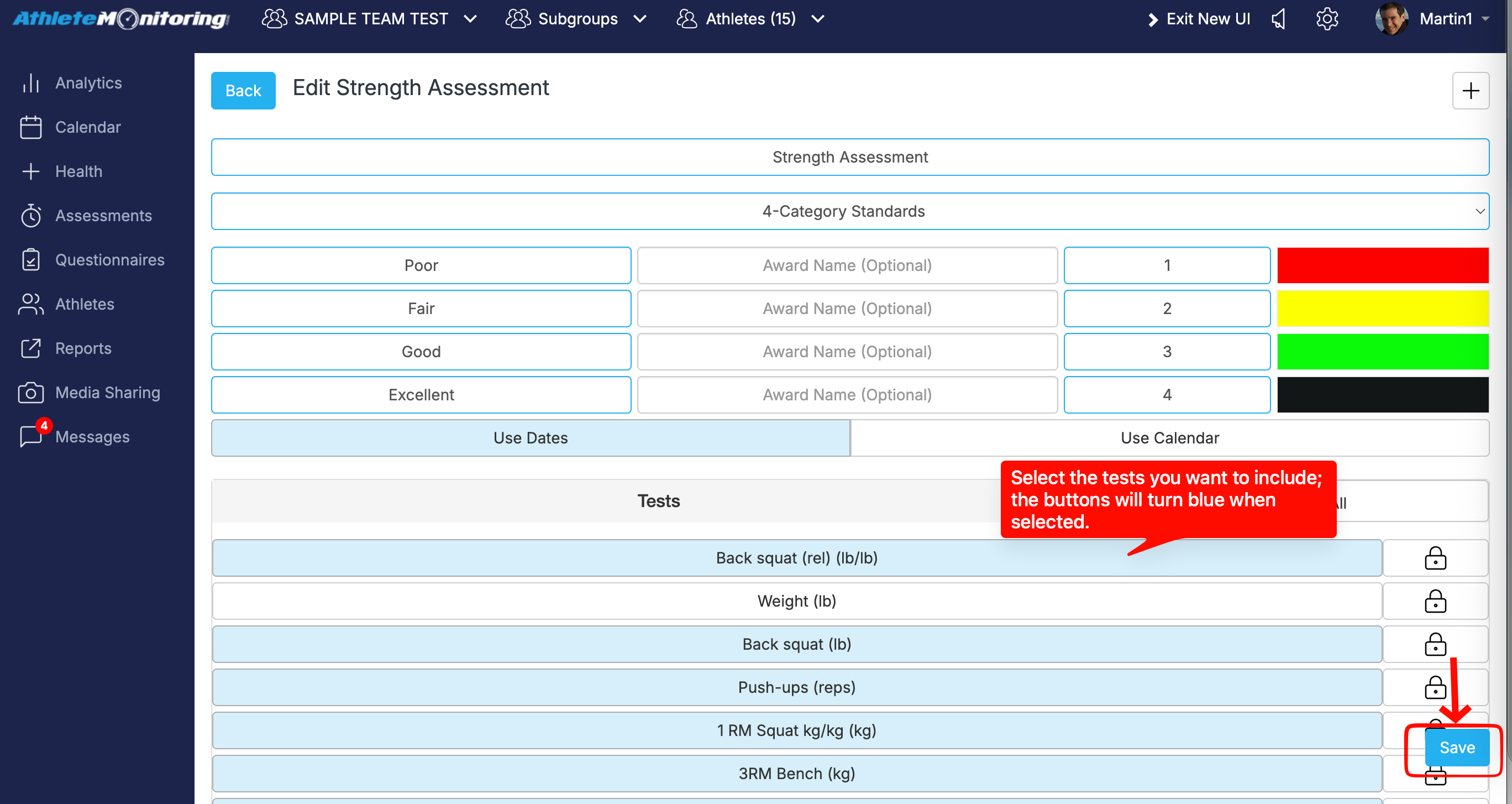
To fix this, go to Settings > Assessments > Test Batteries, edit the relevant test battery, and select the tests you want to include by clicking their names (the buttons will turn blue). Then click “Submit” to save the changes.
Was this article helpful?
That’s Great!
Thank you for your feedback
Sorry! We couldn't be helpful
Thank you for your feedback
Feedback sent
We appreciate your effort and will try to fix the article