You can easily schedule sessions for multiple athletes by uploading Excel files. This can be done easily by copying-pasting planned sessions into the provided Excel template and importing it, as described below.
Step 1 - Open the calendar menu and click on the ... button
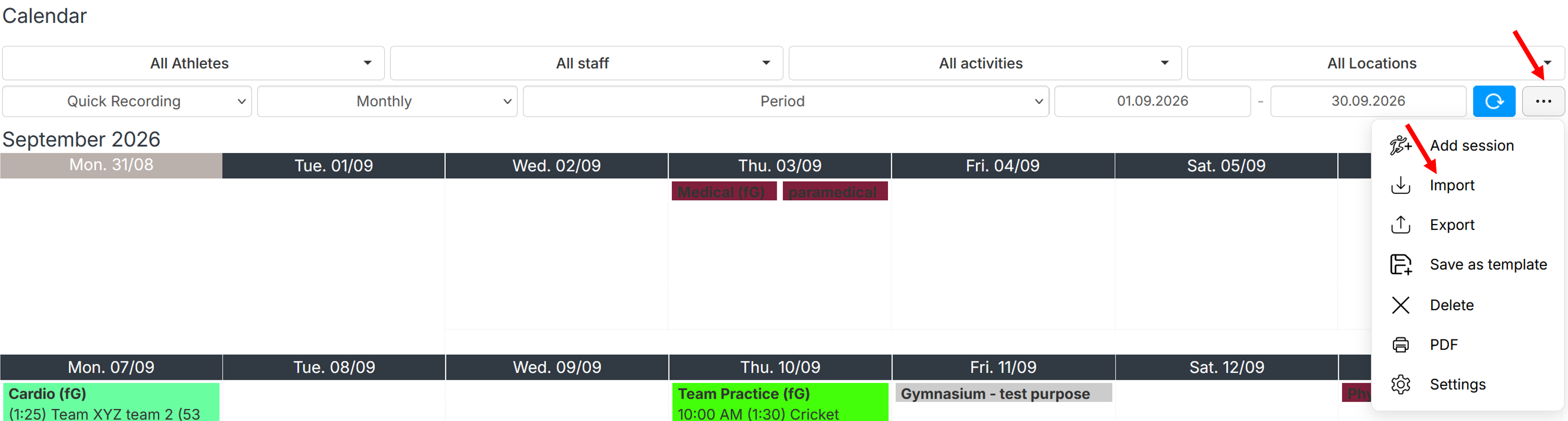
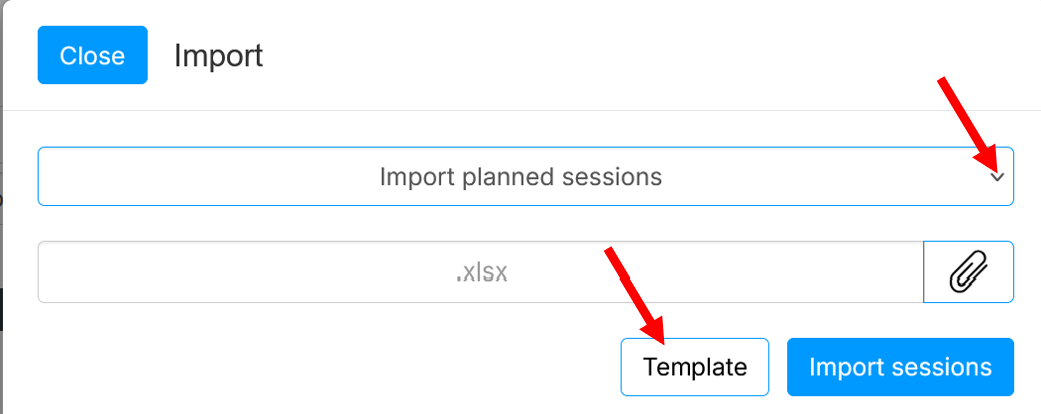
Step 2 - Select Import and click Template
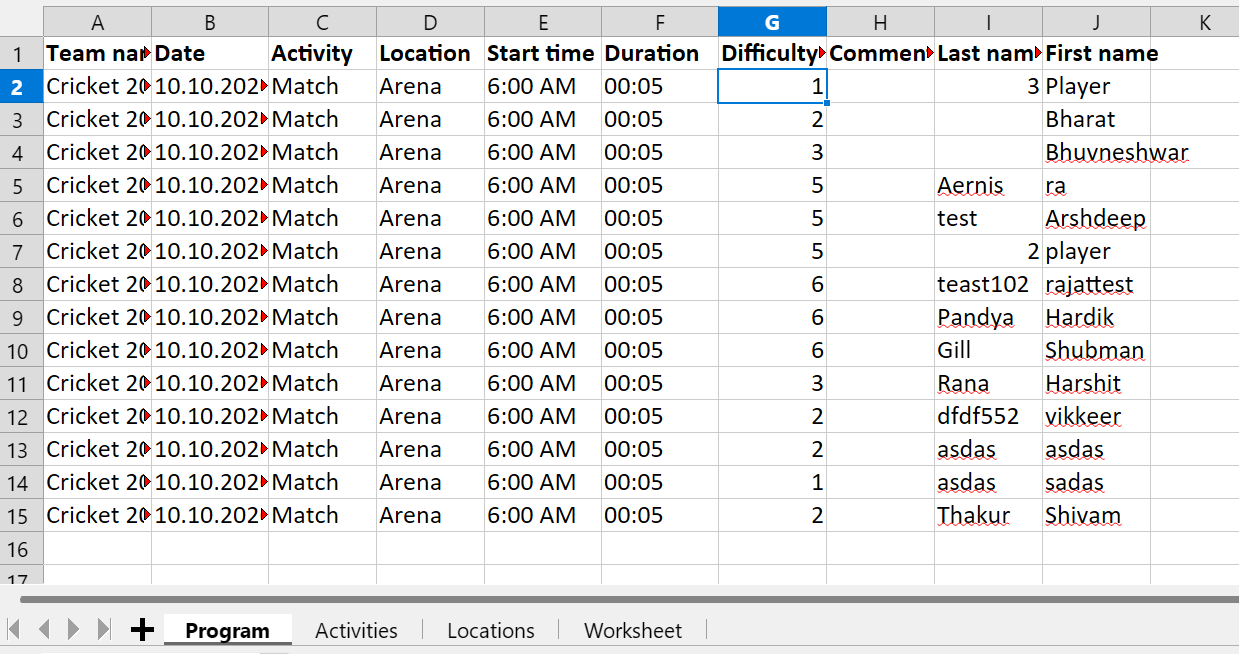
Step 3 and 4 - Open the newly exported template, enter all the required data in each column and save
Available activities and locations can be found in Activities and Locations tabs.
 |
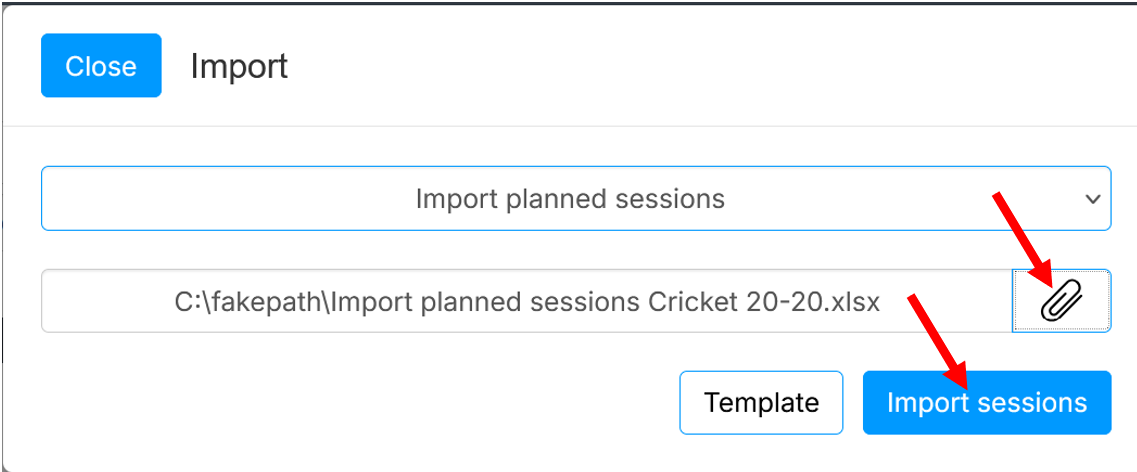
Step 5 - Import the completed template
Was this article helpful?
That’s Great!
Thank you for your feedback
Sorry! We couldn't be helpful
Thank you for your feedback
Feedback sent
We appreciate your effort and will try to fix the article