To create a team, select the top gear icon, select global settings, and click Add new. Then fill out the information and click Create team.
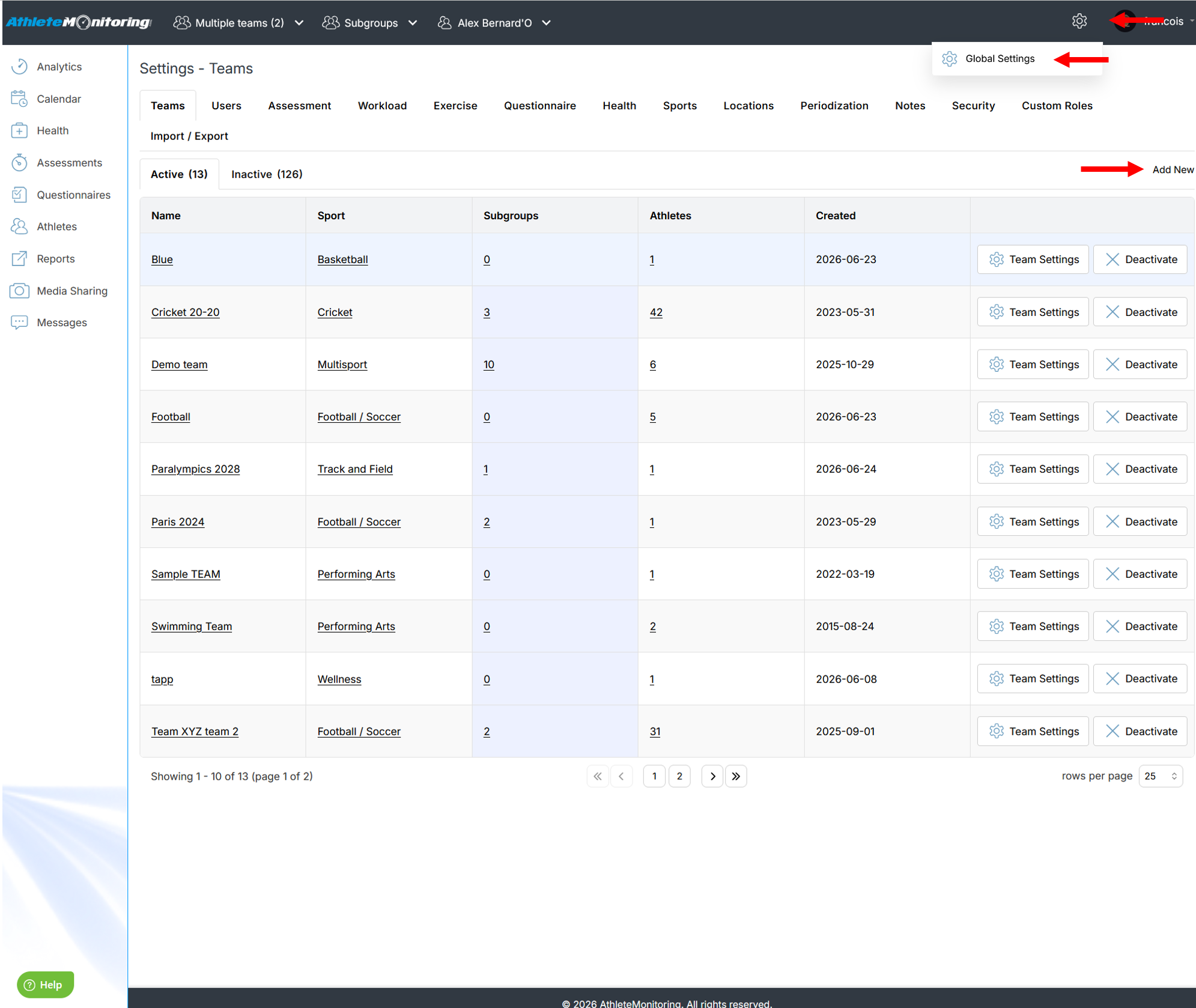
To configure your new team, select the Team settings option.
To add subgroups, click on the number displayed in the Subgroup column.
To see the athletes linked to the selected team, click the number listed in the Athletes column
To deactivate a team and remove it from the list, click Deactivate.
To delete a team, select Team setting, open the Other operations tab and press the button of your choice.

Was this article helpful?
That’s Great!
Thank you for your feedback
Sorry! We couldn't be helpful
Thank you for your feedback
Feedback sent
We appreciate your effort and will try to fix the article