AthleteMonitoring allow you to manage attendance using two methods: 1) by requesting attendance confirmation when planning sessions and; 2) by recording attendance during sessions
Tracking attendance
Method 1
To manage attendance using this method and identify athletes who will and won't attend a session, proceed as follow:
Step 1. Ensure athletes have at least one method of notification (email, sms, push) selected in their profile
Step 2. Open the calendar, schedule one or more session and select the Send invite button before clicking the Add session.

As a result, invited athletes will receive a message asking them to accept or decline their presence to the planned session.
Method 2
To track attendance using this method and quickly record post-training data, proceed as follow:
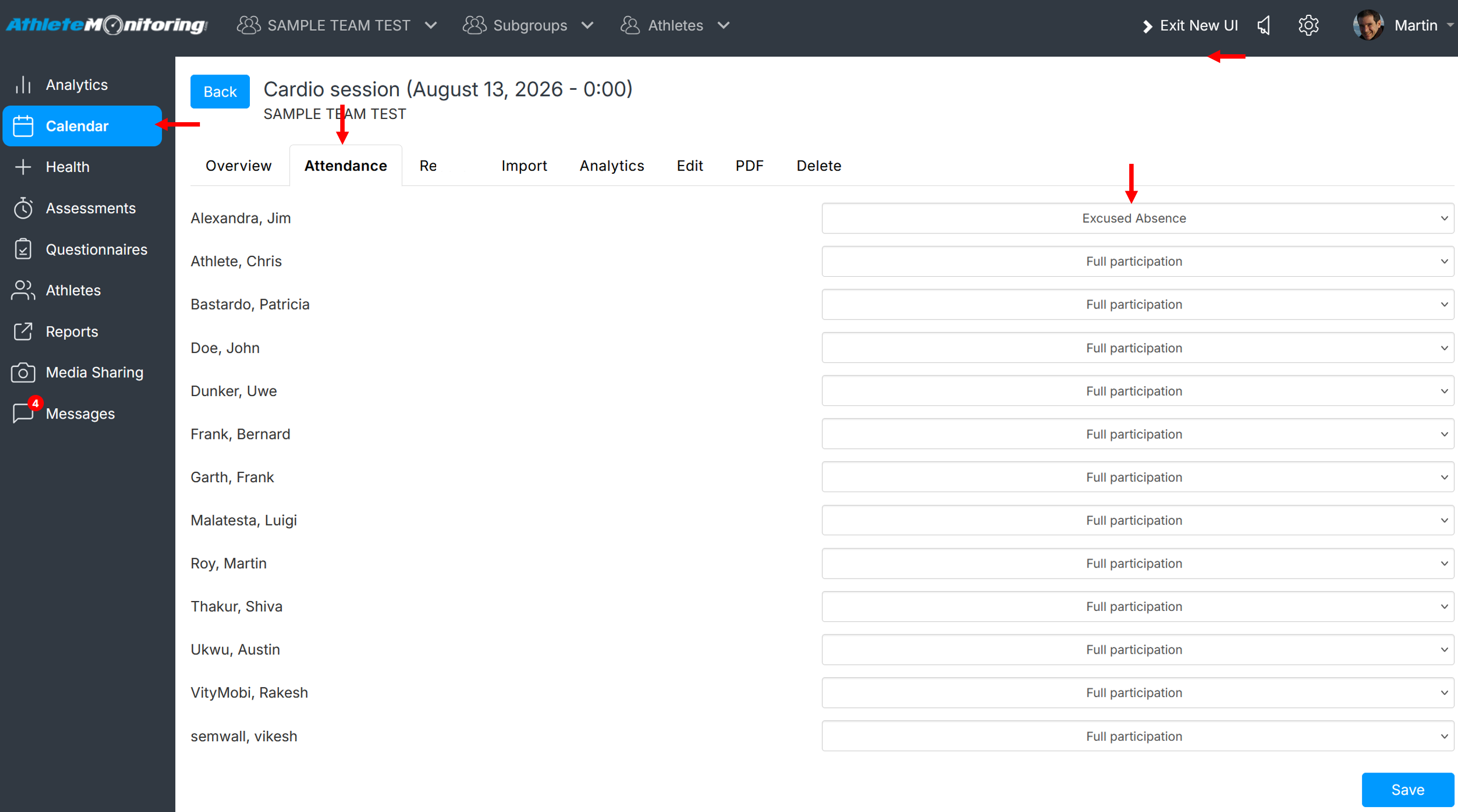
Step 1: Open the calendar, click/press on the session for which you want to record attendance and open the Attendance tab
Step 2: Select athletes' attendance option from the Attendance list and save
Generating the attendance report
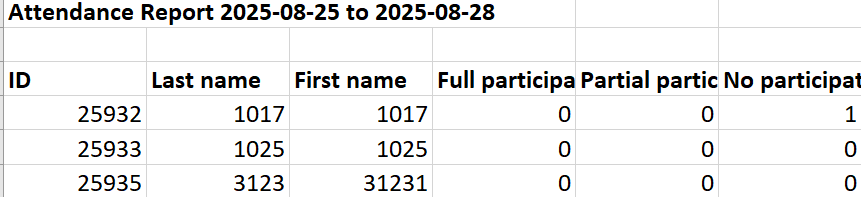
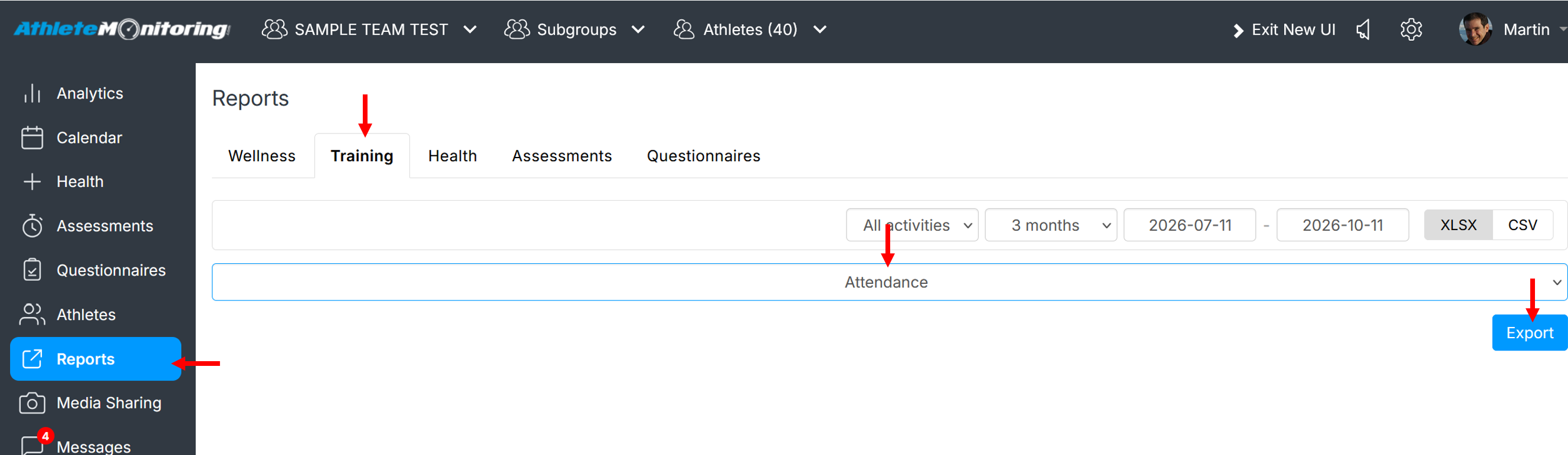
To produce an attendance report, click the Report menu, select Training-Attendance a date range and click Export.
Was this article helpful?
That’s Great!
Thank you for your feedback
Sorry! We couldn't be helpful
Thank you for your feedback
Feedback sent
We appreciate your effort and will try to fix the article