
If you are the account owner, please skip this step as you will receive your login information when you placed your order.
1. Receive the invitation to register
2. Create your password
3. Log in
Once you have created your password, you'll be able to log in.
4. Personalize your user name and password
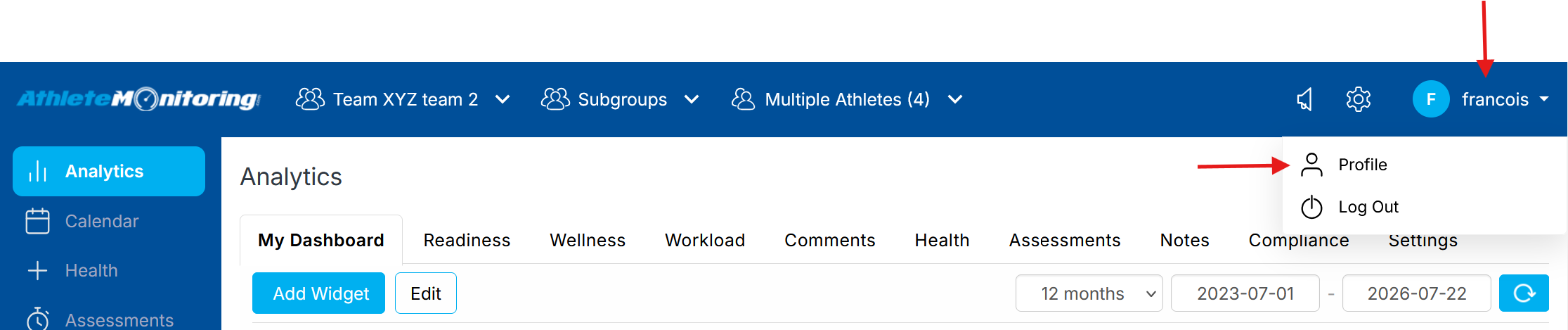
First, open your profile page
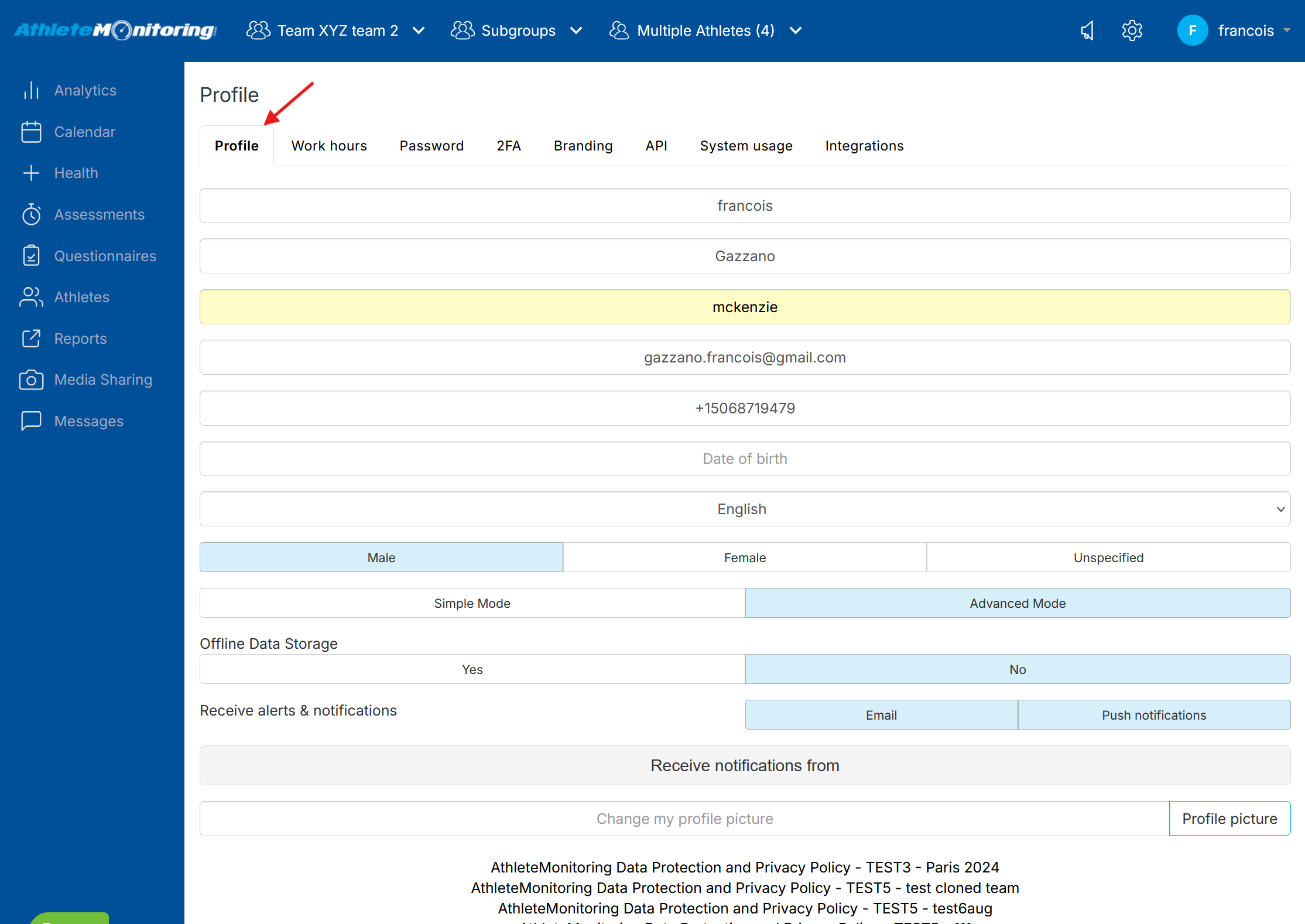
Personalize your account
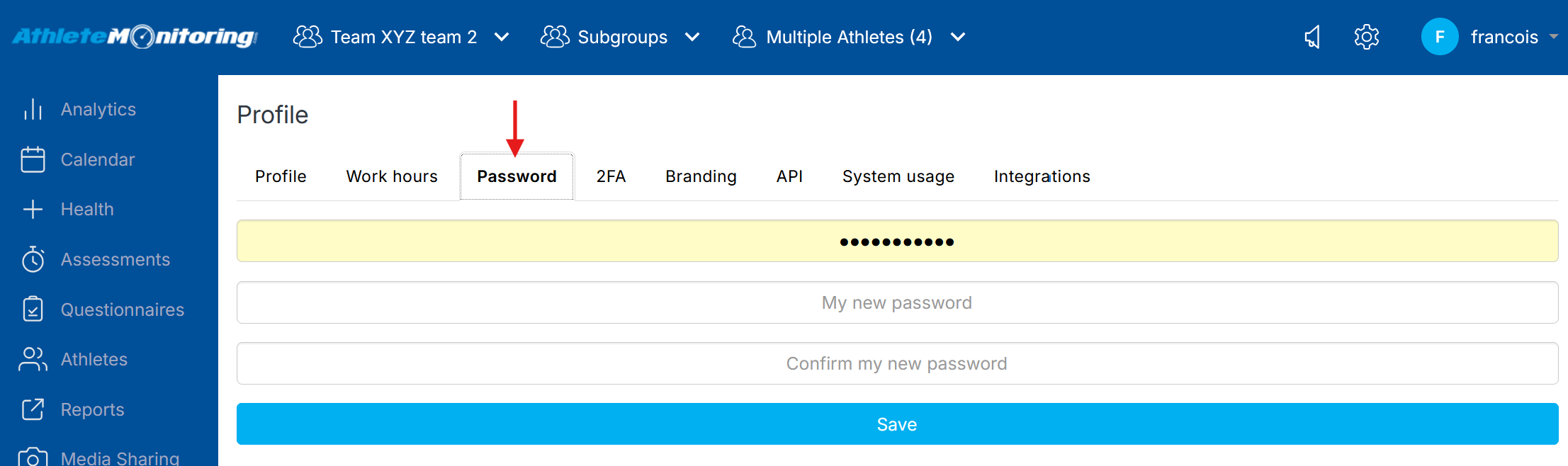
Change your password
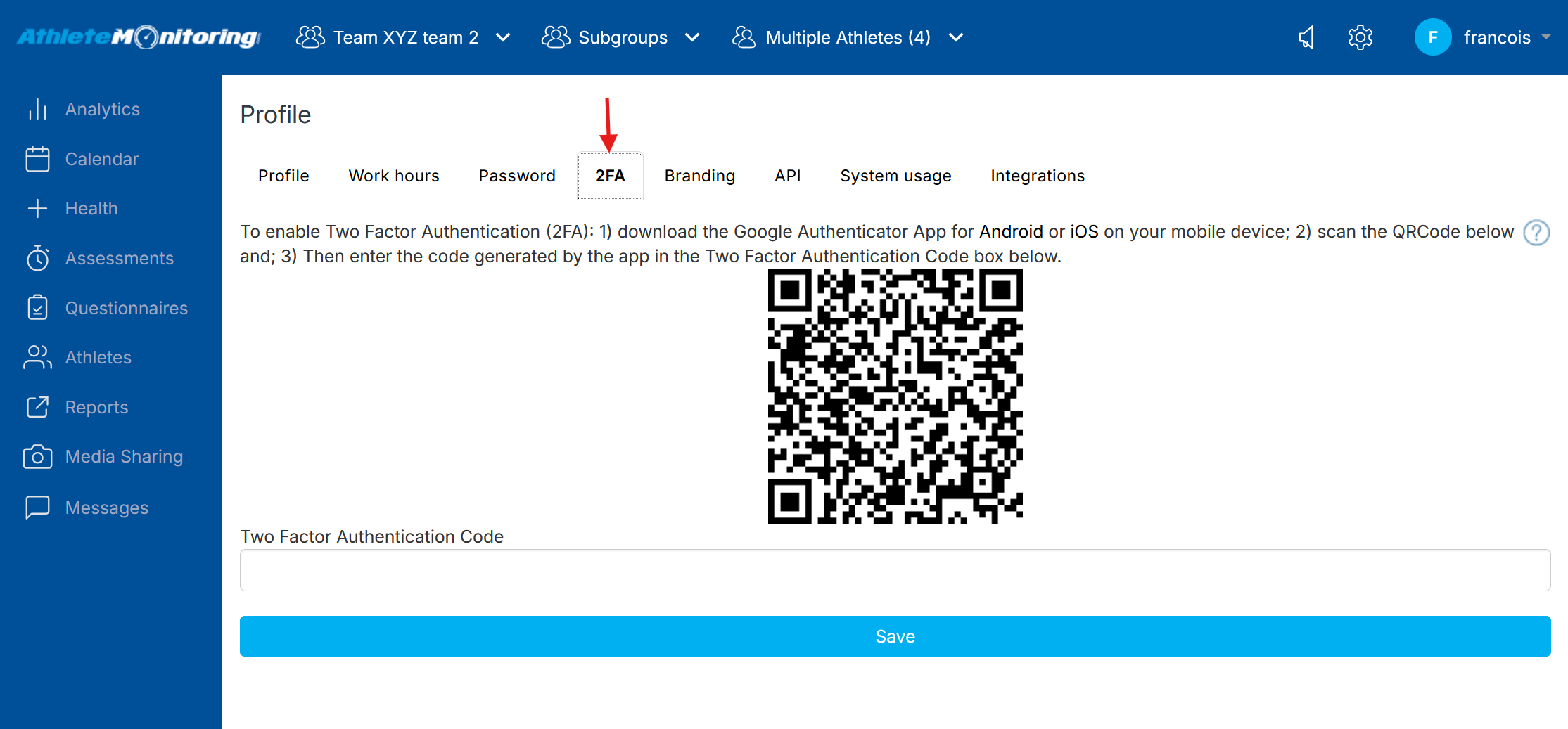
Enable Two Factor Authentication (2FA)
Two-factor authentication adds an additional layer of security to your account and data. We strongly believe this is a best practice for all users, and advise you to download the Google Two-Factor Authenticator app and update your security settings immediately.
Enable push notifications

To learn how to push notification for receiving reminders, alerts and notifications, click here.