To configure the metrics that will be included into your risk flagging system and which ‘how-to-fix’ recommendations will be presented to athletes and staff, proceed as follows:
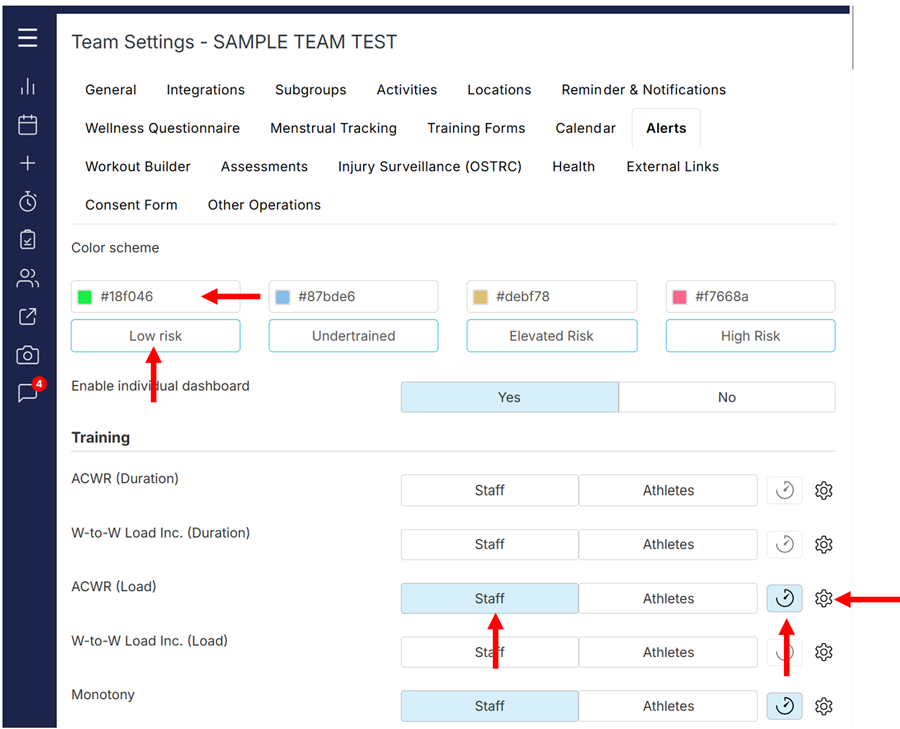
- Open Team Settings-Alerts;
- Change the colours and terminology to your preferred ones;
- To display a specific metric on your Analytics-Readiness dashboard, select the Staff button;
- To display the alert on athletes’ own readiness dashboard, select the Athlete button. Select both options to make the alert visible to both staff and athletes;
- To include the selected metric into the overall risk calculation, select the monitoring icon (it will turn blue).
Once the metric is enabled and selected to be included in the risk and readiness calculation, it'll be factored in the overall risk score.
Important: If you do not want the metric to be included in the risk calculation, do not select the monitoring icon. The metric will be displayed on your readiness dashboard, flagged with your preferred logic but will not impact the overall risk scoring.
 Configuring recommendations
When an alert is detected, it is possible to display easy-to-understand recommendations for staff and athletes.
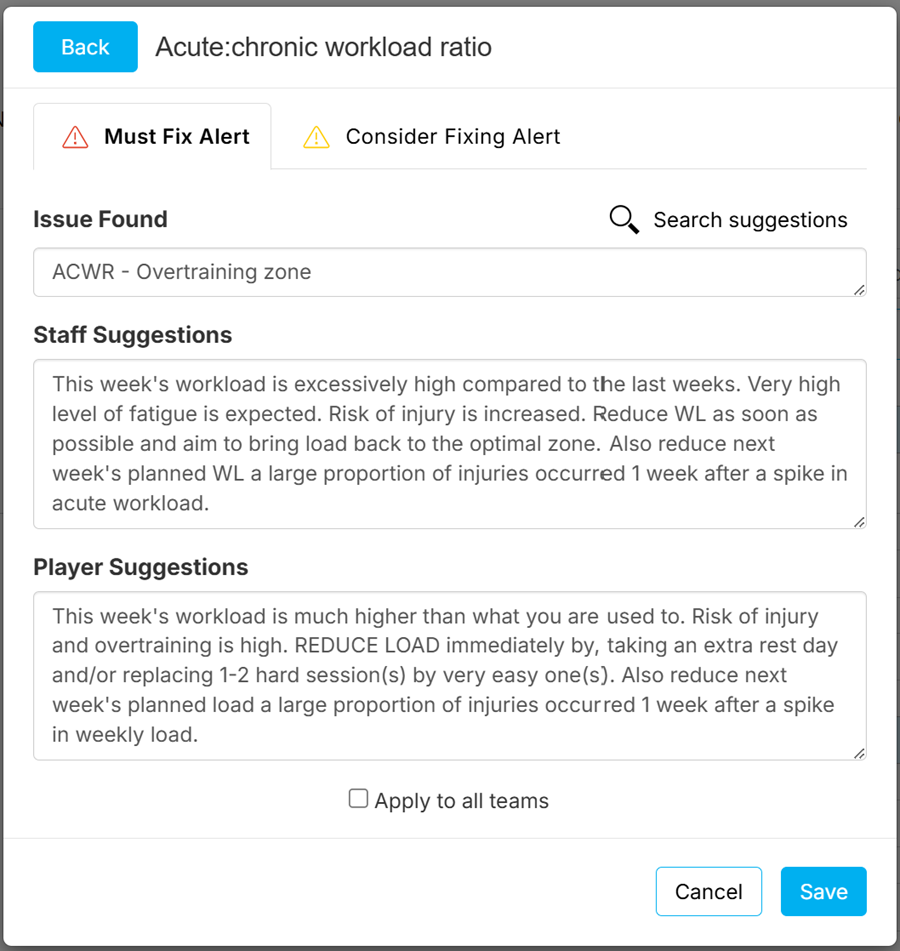
To edit the ‘How-to-fix’ recommendations, open Team Settings-Alerts and click the setting (gear) icon for the metric you wish to edit. Then enter your preferred recommendations for high and medium risk alerts for both staff and athletes.
To learn more about the selected metric from the most recent scientific research, click ‘Search suggestions’
Was this article helpful?
That’s Great!
Thank you for your feedback
Sorry! We couldn't be helpful
Thank you for your feedback
Feedback sent
We appreciate your effort and will try to fix the article