When an alert is detected, it is possible to display easy-to-understand recommendations for staff and athletes.
To edit the ‘How-to-fix’ recommendations, open Team Settings-Alerts and click the setting (gear) icon for the metric you wish to edit.
Enter your preferred recommendations for high and medium risk alerts for both staff and athletes.
To learn more about the selected metric from the most recent scientific research, click ‘Learn More’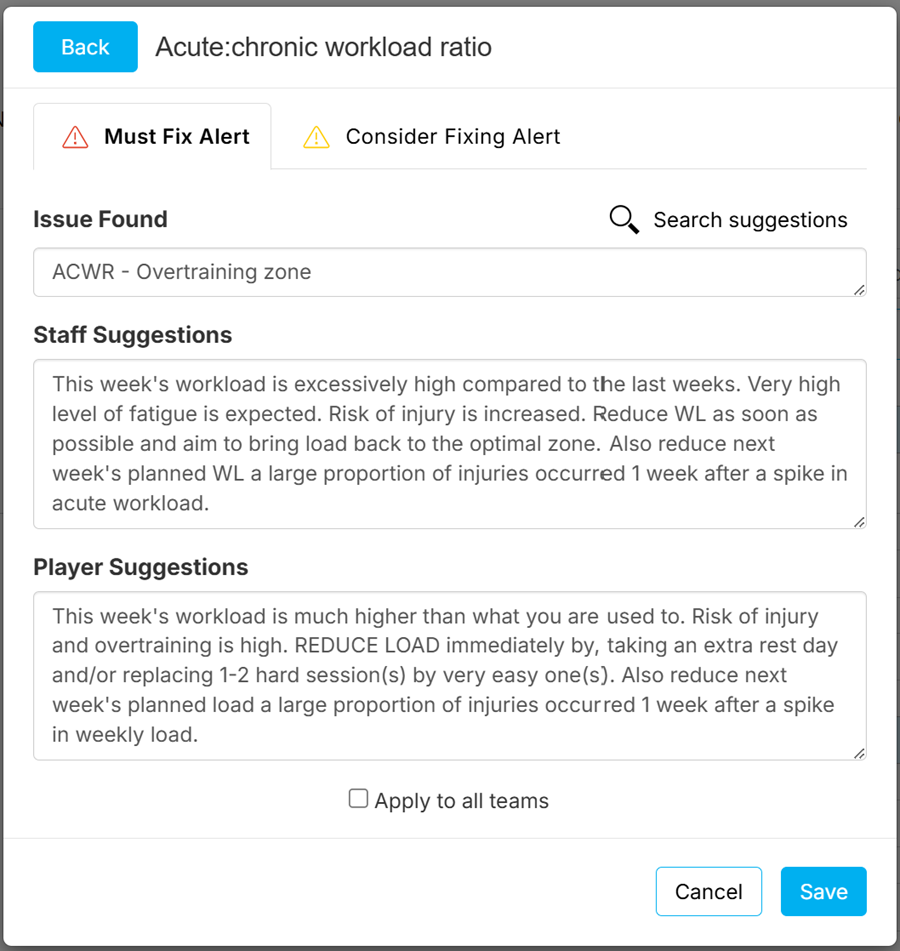
Was this article helpful?
That’s Great!
Thank you for your feedback
Sorry! We couldn't be helpful
Thank you for your feedback
Feedback sent
We appreciate your effort and will try to fix the article