To batch import test results for multiple dates, proceed as follow:
Step 1 - Open the Assessment menu option, select a test battery, a date, athletes, click the Import icon and the Template button.
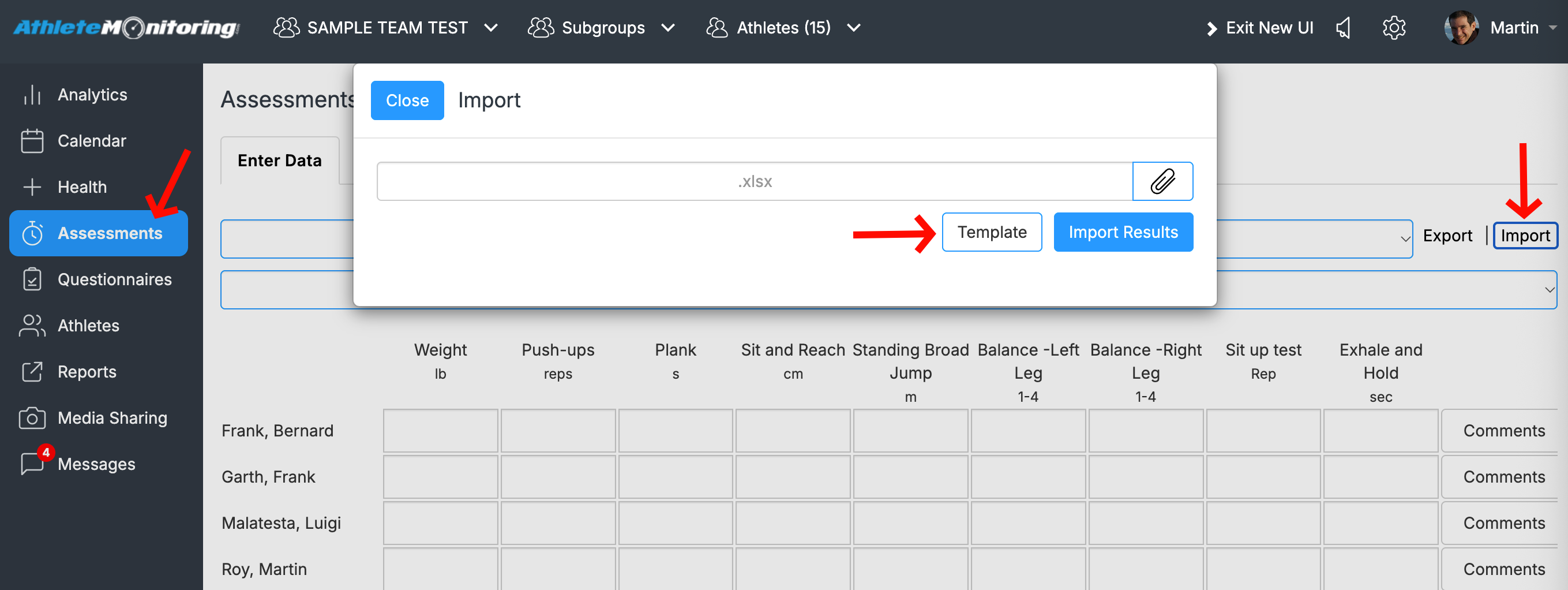
Step 2 - Populate the newly created spreadsheet with the data to import. Make sure data formats are matching. Once done, save the spreadsheet.

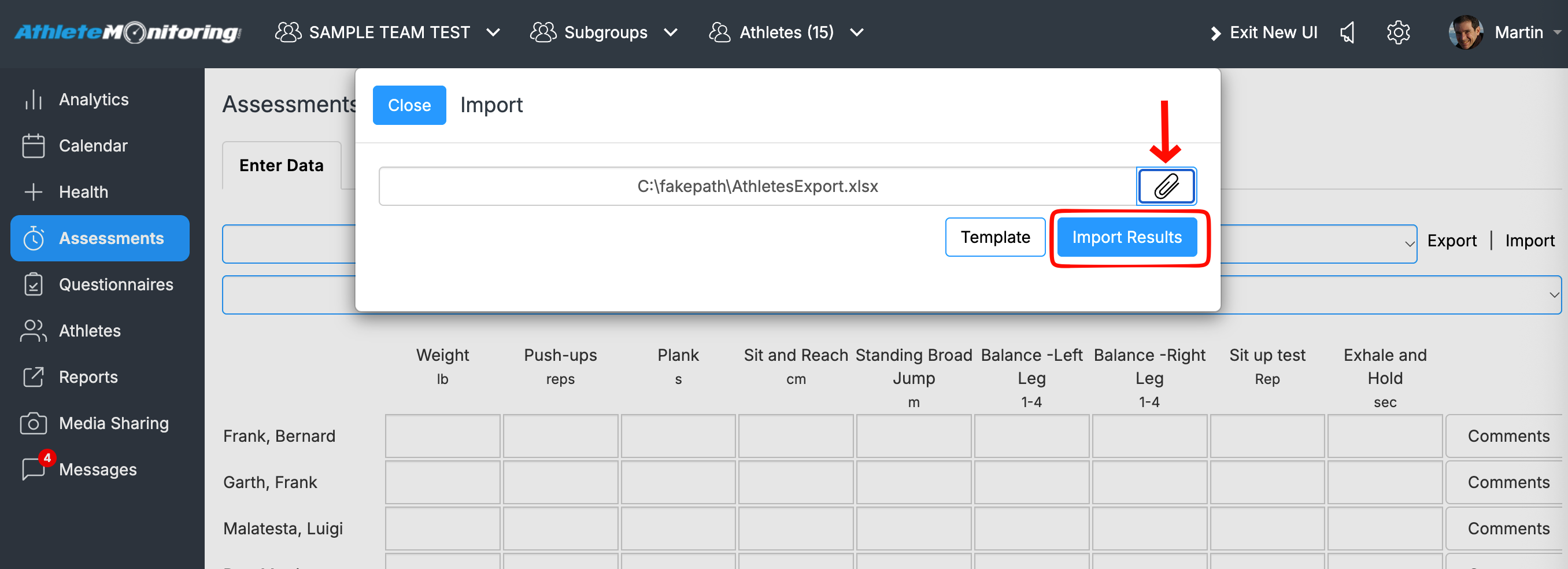
Step 3 - Close the spreadsheet, select the file and click Import Results.
Was this article helpful?
That’s Great!
Thank you for your feedback
Sorry! We couldn't be helpful
Thank you for your feedback
Feedback sent
We appreciate your effort and will try to fix the article