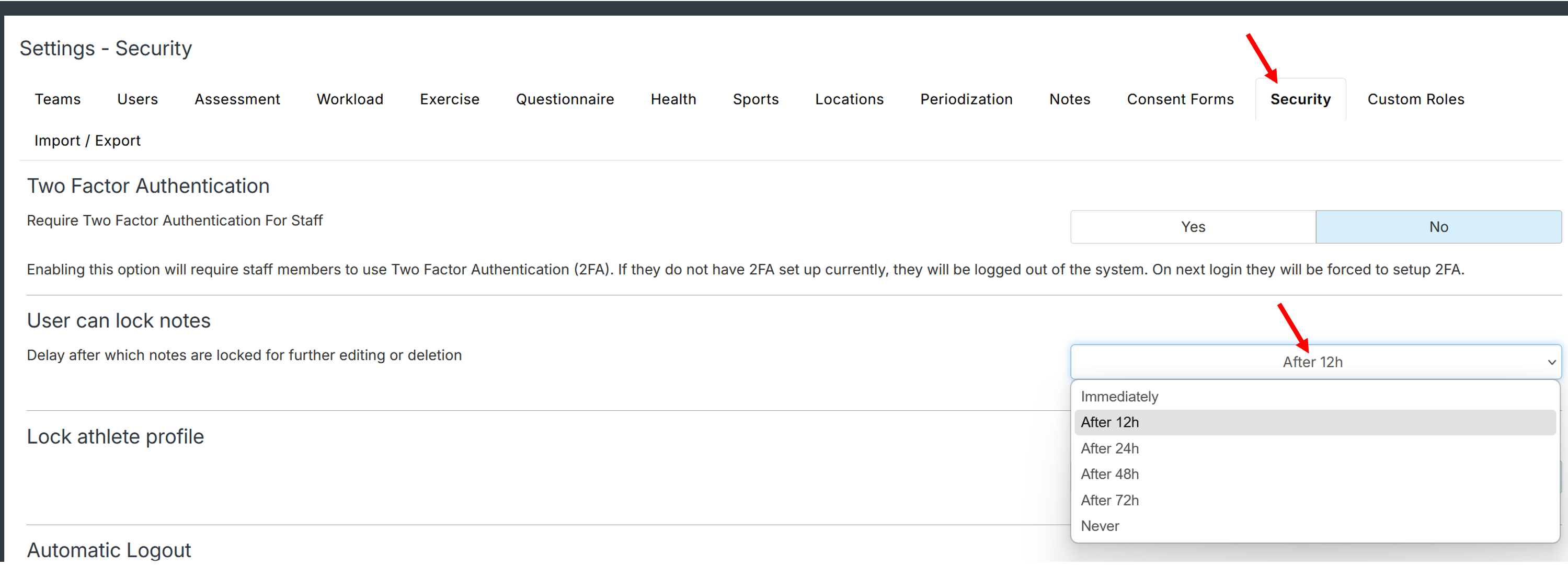
If you are an account owner and wish to control the note locking delay, open Settings-Security-User can save notes, select the desired option. Then Save.
Available options:
Immediately: Note is instantly locked for edition and deletion.
12h: Note is locked for further edition and deletion after 12h.
24h: Note is locked for further edition and deletion after 24h.
48h: Note is locked for further edition and deletion after 48h.
72h: Note is locked for further edition and deletion after 72h.
Never: Note is never locked
Was this article helpful?
That’s Great!
Thank you for your feedback
Sorry! We couldn't be helpful
Thank you for your feedback
Feedback sent
We appreciate your effort and will try to fix the article