If you are an account owner, you can customize the interface text ('My Teams', 'Athletes', etc) of your system, and replace it with your preferred terminology (e.g.: 'My Groups', 'Student-athletes', etc.).
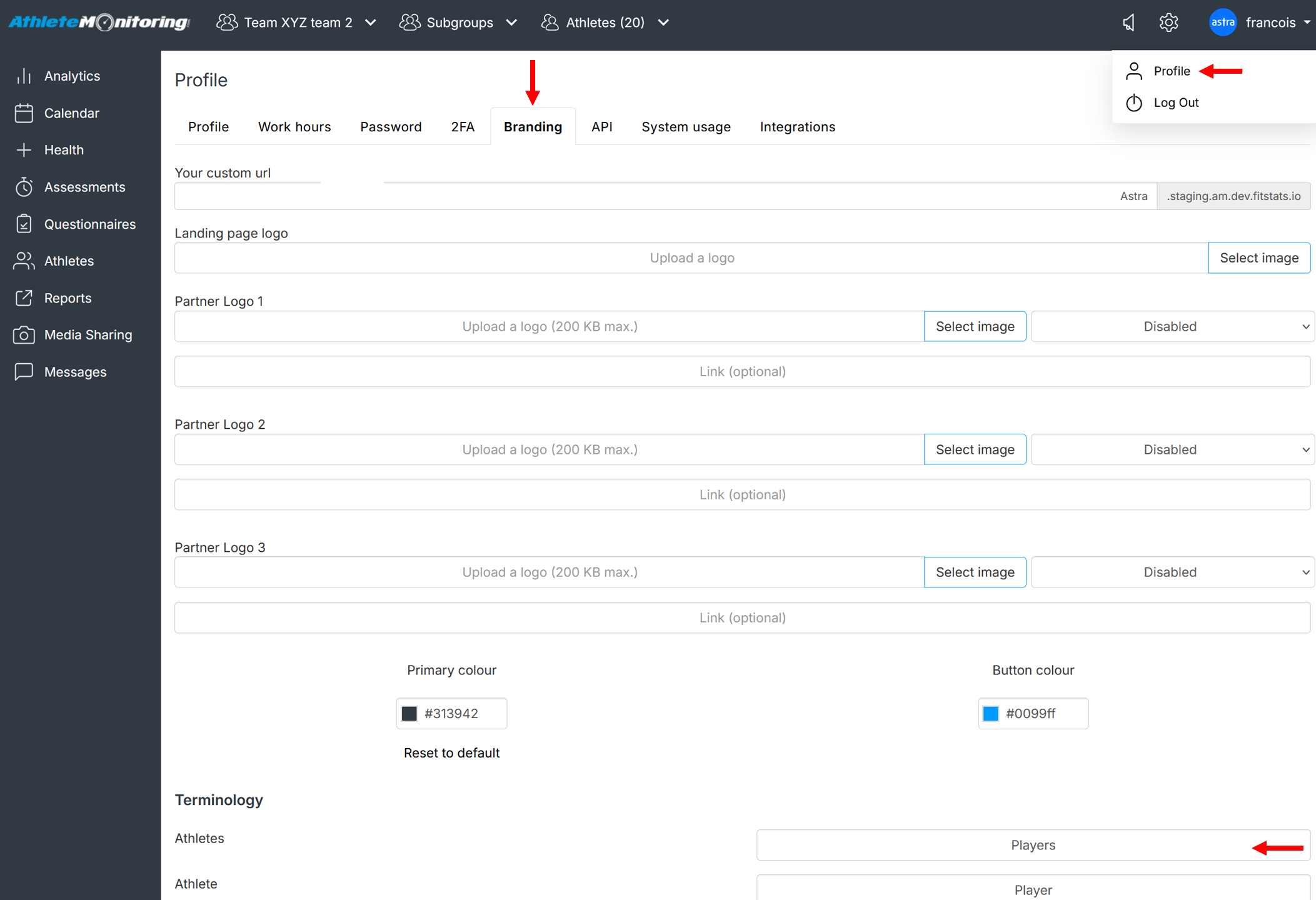
Proceed as follows:
- Open your account owner's profile
- Click the branding/paint brush tab
- Scroll down to the Terminology section
- Change the content of text boxes
- Click Save
Once saved, the new text will immediately be visible across the system.
Was this article helpful?
That’s Great!
Thank you for your feedback
Sorry! We couldn't be helpful
Thank you for your feedback
Feedback sent
We appreciate your effort and will try to fix the article