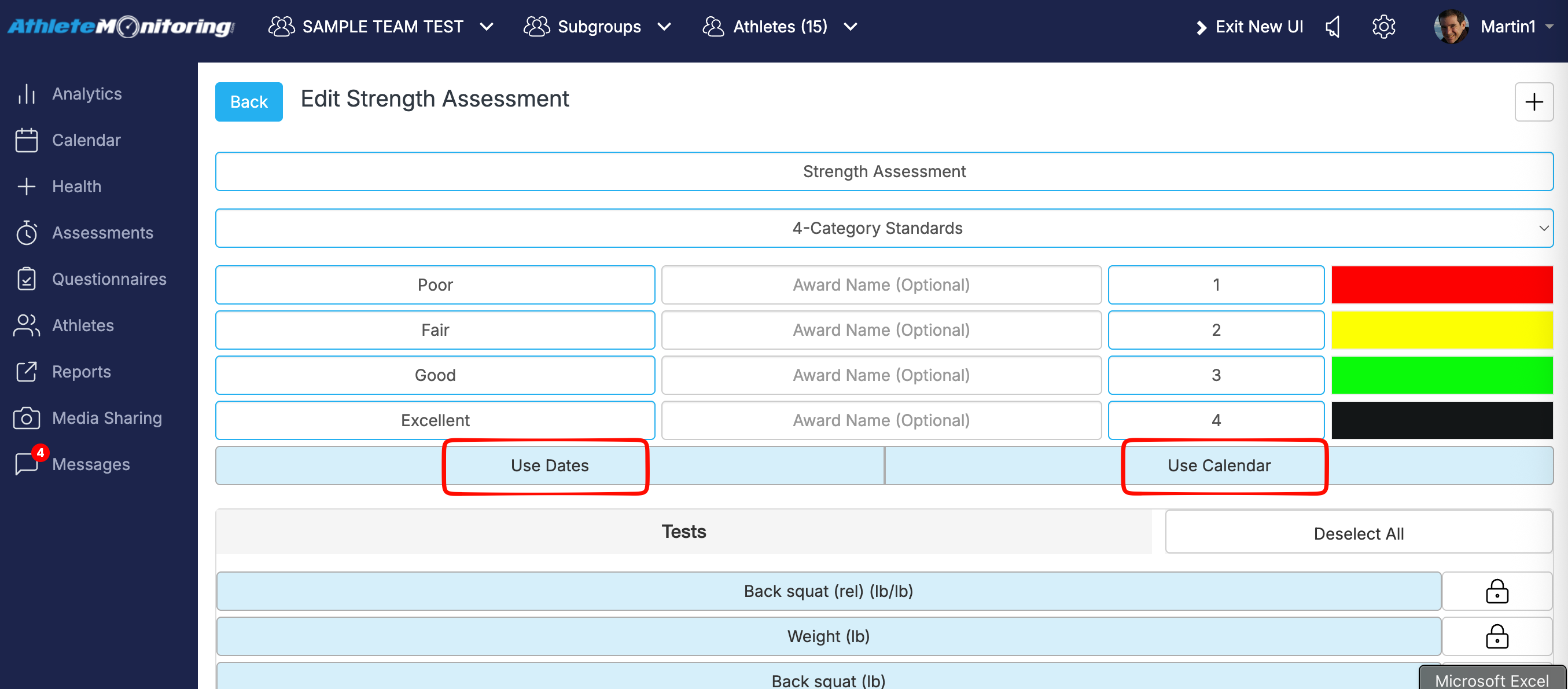
This happens when the test battery is set to “Calendar”, but no dates or assessment periods have been added to the Assessment Calendar.
To fix this, you have two options:
- Change the test battery setting to “Dates”. This allows you to select specific dates when entering assessment results.
- Keep the setting as “Calendar” and add the required dates or assessment periods in the Assessment Calendar. Once these are added, the assessment will appear in the “Select Assessment” list and you can record the results.